The 8 reasons why our customers had their code written or accelerated by us

Making software better and faster.

In the past six years we have helped out various customers solve their software performance problems. While each project has been very different, there have been 8 reasons to hire us as performance engineers. These can be categorised in three groups:

  • Reduce processing time
    • Meeting timing requirements
    • Increasing user efficiency
    • Increasing the responsiveness
    • Reducing latency
  • Do more in the same time
    • Increasing simulation/data sizes
    • Adding extra functionality
  • Reduce operational costs
    • Reducing the server count
    • Reducing power usage

Let’s go into each of these. Continue reading “The 8 reasons why our customers had their code written or accelerated by us”

Comparing Syntax for CUDA, OpenCL and HiP

Both CUDA and OpenCL are well-known GPGPU-languages. Unfortunately there are some slight differences between the languages, which are shown below.

You might have heard of HiP, the language that AMD made to support both modern AMD Fiji GPUs and CUDA-devices. CUDA can be (mostly automatically) translated to HiP and from that moment your code also supports AMD high-end devices.

To give an overview how HiP compares to other APIs, Ben Sanders made an overview. Below you’ll find the table for CUDA, OpenCL and HiP, slightly altered to be more complete. The languages HC and C++AMP can be found in the original.

Term CUDA OpenCL HiP
Device int deviceId cl_device int deviceId
Queue cudaStream_t cl_command_queue hipStream_t
Event cudaEvent_t cl_event hipEvent_t
Memory void * cl_mem void *
Grid of threads grid NDRange grid
Subgroup of threads block work-group block
Thread thread work-item thread
Scheduled execution warp sub-group (warp, wavefront, etc) warp
Thread-index threadIdx.x get_local_id(0) hipThreadIdx_x
Block-index blockIdx.x get_group_id(0) hipBlockIdx_x
Block-dim blockDim.x get_local_size(0) hipBlockDim_x
Grid-dim gridDim.x get_global_size(0) hipGridDim_x
Device Kernel __global__ __kernel __global__
Device Function __device__ N/A. Implied in device compilation __device__
Host Function __host_ (default) N/A. Implied in host compilation. __host_ (default)
Host + Device Function __host____device__ N/A. __host____device__
Kernel Launch <<< >>> clEnqueueNDRangeKernel hipLaunchKernel
Global Memory __global__ __global __global__
Group Memory __shared__ __local __shared__
Private Memory (default) __private (default)
Constant __constant__ __constant __constant__
Thread Synchronisation __syncthreads barrier(CLK_LOCAL_MEMFENCE) __syncthreads
Atomic Builtins atomicAdd atomic_add atomicAdd
Precise Math cos(f) cos(f) cos(f)
Fast Math __cos(f) native_cos(f) __cos(f)
Vector float4 float4 float4

You see that HiP borrowed from CUDA.

The discussion is ofcourse if all alike APIs shouldn’t use the same wordings. A best thing would be to mix for the best, as CUDA’s “shared” is much more clearer than OpenCL’s “local”. OpenCL’s functions on locations and dimensions (get_global_id(0) and such) on the other had, are often more appreciated than what CUDA offers. CUDA’s “<<< >>>” breaks all C/C++ compilers, making it very hard to make a frontend of IDE-plugin.

I hope you found the above useful to better understand the differences between CUDA and OpenCL, but also to see how HiP comes into the picture.

nVidia’s CUDA vs OpenCL Marketing

Please read this article about Microsoft and OpenCL, before reading on. The requested benchmarking is done by the people of Unigine have some results on differences between the three big GPGPU-APIs: part I, part II and part III with some typical results.
The following read is not about the technical differences of the 3 APIs, but more about the reason behind why alternate APIs are being kept maintained while OpenCL does the trick. Please comment, if you think OpenCL doesn’t do the trick

As was described in the article, it is important for big companies (such as Microsoft and nVidia) to defend their market-share. This protection is not provided through an open standard like OpenCL. As it went with OpenGL  – which was sort of replaced by DirectX to gain market-share for Windows – now nVidia does the same with CUDA. First we will sum up the many ways nVidia markets Cuda and then we discuss the situation.

The way nVidia wanted to play the game, was soon very clear: it wanted to market CUDA to be seen as the better alternative for OpenCL. And it is doing a very good job.

The best way to get better acceptance is giving away free information, such as articles and courses. See Cuda’s university courses as an example. Also sponsoring helps a lot, so the first main-stream oriented books about GPGPU discussed Cuda in the first place and interesting conferences were always supported by Cuda’s owner. Furthermore loads of money is put into an expensive webpage with very complete information about GPGPU there is to find. nVidia does give a choice, by also having implemented OpenCL in its drivers – it does just not have big pages on how-to-learn-OpenCL.

AMD – having spent their money on buying ATI, could not put this much effort in the “war” and had to go for OpenCL. You have to know, AMD has faster graphics-cards for lower prices than nVidia at the moment; so based on that, they could become the winners on GPGPU (if that was to only thing to do). Intel saw the light too late and is even postponing their High-end GPU, the Larrabee. The only help for them is that Apple demands to have OpenCL on nVidia’s drivers – but for how long? Apple does not want strict dependency on nVidia, since it i.e. also has a mobile market. But what if all Apple-developers create their applications on CUDA?

Most developers – helped by the money&support of nVidia – see that there is just little difference between Cuda and OpenCL and in case of a changing market they could translate their programs from one to the other. For now a demand to have a high-end videocard of nVidia can be rectified, a card which actually many people have or easily could buy within the budget of their current project. The difference between Cuda and OpenCL is comparable with C# and Java – the corporate tactics are also the same. Possibly nVidia will have better driver-support for Cuda than OpenCL and since Cuda does not work on AMD-cards, the conclusion is that Cuda is faster. There can then be a situation that AMD and Intel have to buy Cuda-patents, since OpenCL does not have the support.

We hope that OpenCL will stay the main-stream GPGPU-API, so the battle will be on hardware/drivers and support of higher-level programming-languages. We do really appreciate what nVidia already has done for the GPGPU-industry, but we hope they will solely embrace OpenCL for the sake of the long-term market-development.

What we left out of this discussion is Microsoft’s DirectCompute. It will be used by game-developers in the Windows-platform, which just need physics-calculations. When discussing the game-industry, we will tell more about Microsoft’s DirectX-extension.
Also come back and read our upcoming article about FPGAs + OpenCL, a combination from which we expect a lot.

Apple Metal versus Vulkan + OpenCL 2.2

Metal
Metal – Apple’s me-too™ language

Update: C++ has been moved from OpenCL 2.1 to 2.2, being released in 2017. Title and text have been updated to reflect this. A reason why Apple released Metal might be the reason that Khronos was too slow in releasing C++ kernels into OpenCL, given the delays.

Apple Metal in one sentence: one queue for both OpenCL and OpenGL, using C++11. They now brought it to OSX. The detail they don’t tell: that’s exactly what the combination of Vulkan + OpenCL 2.1 2.2 does. Instead it is compared with OpenCL 1.x + OpenGL 4.x, which it certainly can compete with, as that combination doesn’t have C++11 kernels nor a single queue.

Apple Metal on OSX – a little too late, bringing nothing new to the stage, compared to SPIR and OpenCL 2.1 2.2.

The main reason why they can’t compete with the standards, is that there is an urge to create high-level languages and DSLs on top of lower-level languages. What Apple did, was to create just one and leaving out the rest. This means that languages like SYCL and C++AMP (implemented on top of SPIR-V) can’t simply run on OSX, and thus blocking new innovations. To understand why SPIR-V is so important and Apple should adopt for that road, read this article on SPIR-V.

khronos-SPIR-V-flowchart
Metal could compile to SPIR-V, just like OpenCL-C++ does. The rest of the Metal API is just like Vulkan.

Yet another vendor lock-in?

Now Khronos is switching its two most important APIs to the next level, there is a short-term void. This is clearly the right moment for Apple to take the risk and trying to get developers interested in their new language. If they succeed, then we get the well-known “pffff, I have no time to port it to other platforms” and there is a win for Apple’s platforms (they hope).

Apple has always wanted to have a different way of interacting with OpenCL-kernels using Grand Central Dispatch. Porting OpenCL between Linux and Windows is a breeze, but from and to OSX is not. Discussions over the past years with many people from the industry thought me one thing: Apple is like Google, Microsoft and NVidia – they don’t really want standards, but want 100% dedicated developers for their languages.

Yes, now also Apple is on the list of Me-too™ languages for OpenCL. We at StreamHPC can easily translate your code from and too Metal, but we would like it that you can put your investments in more important matters like improving the algorithms and performance.

Still OpenCL support on OSX?

Yes, but only OpenCL 1.2. A way to work around is to use SPIR-to-Metal translators and a wrapper from Vulkan to Metal – this will not make it very convenient though. The way to go, is that everybody starts asking for OpenCL 2.0 support on OSX forums. Metal is a great API, but that doesn’t change the fact it’s obstructing standardisation of likewise great, open standards. If they provide both Metal and Vulkan+OpenCL 2.1 2.2 then I am happy – then the developers have the choice.

Metal debuts in “OSX El Capitan”, which is available per today to developers, and this fall to the general public.

Our Onboarding Process

We currently have 6 months for onboarding. This helps you, as our new colleague, get used to the different environment, the company’s priorities and ways of working.

What requirements we signal before hiring

The self-assessment contains all the elements we try to foster. It shows 4 main areas:

  • CPU programming & algorithms
  • GPU programming & performance oriented programming
  • Problem solving
  • Collaboration, planning & prioritization

Each of these, and some personal skills, we discuss, improve and measure. Six months is never enough to improve on everything, but it is enough to focus on the items where most need to be done. It’s certainly enough time to understand what quality means and how to get there.

It’s easy to get confused about quality. Quality might mean deluxness, fanciness, expensiveness. That’s not what quality means. Quality means meeting spec. Keeping the promise. Doing exactly what you said you would do. It is measured in consistency.

Seth Godin

First week(s)

Getting started means you get everything on your desk at once. Best to have a checklist:

  • Creation of accounts
  • Ask questions you might have to your buddy.
  • Introduction to others.
  • Learning the basics of the development and collaboration environments
  • Get necessary hardware, including noise-canceling headphones.
  • Make technical contributions from the first day, as this provides:
    • Measurable contributions
    • Time management

What to expect in your first months

In your first weeks, you’ll ease into a project, pair up with a buddy, meet teammates (both in-office and remote), and get familiar with how we work, daily standups, time tracking, and internal tools like GitLab. You’ll also learn about our team culture, performance expectations, and key documents that shape how we collaborate. Regular check-ins at one, and five months help track your growth, gather feedback, and support your long-term development.

Memberships

We are active in several foundations, communities and collaborations. Below is an overview.

Khronos

Khronos_500px_Dec14

Associate member of Khronos, the non-profit technology consortium that maintains important languages like OpenCL, OpenGL, SPIR and Vulkan.

The Khronos Group was founded in 2000 to provide a structure for key industry players to cooperate in the creation of open standards that deliver on the promise of cross-platform technology. Today, Khronos is a not for profit, member-funded consortium dedicated to the creation of royalty-free open standards for graphics, parallel computing, vision processing, and dynamic media on a wide variety of platforms from the desktop to embedded and safety critical devices.

High Tech NL

High Tech NL is the sector organization by and for innovative Dutch high-tech companies and knowledge institutes. High Tech NL is committed to the collective interests of the sector, with a focus on long-term innovation and international collaboration.

We’re a member because HighTech NL is one of the few organizations that understands IT is far more than digitisation. Our main focus there is robotics.

HSA Foundation

HSA-logo

Heterogeneous System Architecture (HSA) Foundation is a not-for-profit industry standards body focused on making it dramatically easier to program heterogeneous computing devices. The consortium comprises various semiconductor companies, tools providers, software vendors, IP providers, and academic institutions that develops royalty-free standards and open-source software.

HiPEAC

HiPEAC’s mission is to steer and increase the European research in the area of high-performance and embedded computing systems, and stimulate (international) collaborations.

We’ve sponsored multiple conferences over the years.

ETP4HPC

ETP4HPC is the European Technology Platform (ETP) in the area of High-Performance Computing (HPC). It is an industry-led think-tank comprising of European HPC technology stakeholders: technology vendors, research centres and end-users. The main objective of ETP4HPC is to define research priorities and action plans in the area of HPC technology provision (i.e. the provision of supercomputing systems).

OpenPower

OpenPOWER Foundation is an open, not-for-profit technical membership group incorporated in December 2013. It was incepted to enable today’s data centers to rethink their approach to technology. OpenPOWER was created to develop a broad ecosystem of members that will create innovative and winning solutions based on POWER architecture.

A short story: OpenCL at LaSEEB (Lisboa, Portugal)

3_lab-laseeblaseeb-logosoftThe research lab LaSEEB (Lisboa, Portugal) is active in the areas of Biomedical Engineering, Computational Intelligence and Evolutionary Systems. They create software using OpenCL and CUDA to speed-up their research and simulations.

They were one of the first groups to try out OpenCL, even before StreamHPC existed. To simplify the research at the lab, Nuno Fachada created cf4ocl – a C Framework for OpenCL. During an e-mail correspondence with Nuno, I asked to tell something about how OpenCL was used within their lab. He was happy to share a short story.

We started working with OpenCL since early 2009. We were working with CUDA for a few months, but because OpenCL was to be adopted by all platforms, we switched right away. At the time we used it with NVidia GPUs and PS3’s, but had many problems because of the verbosity of its C API. There were few wrappers, and those that existed weren’t exactly stable or properly documented. Adding to this, the first OpenCL implementations had some bugs, which didn’t help. Some people in the lab gave up using OpenCL because of these initial problems.

All who started early on, recognises the problems described above. Now fast-forward to now.

Nowadays its much easier to use, due to the stability of the implementations, and the several wrappers for different programming languages. For C however, I think cf4ocl is the most complete and well documented. The C people here in the lab are getting into OpenCL again due to it (the Python guys were already into it again due to the excellent PyOpenCL library). Nowadays we’re using OpenCL for AMD and NVidia GPUs and multicore CPUs, including some Xeons.

This is what I hear more often lately: the return of OpenCL to research labs and companies, after a several years of CUDA. It’s a combination of preparing for the long-term, growing interest in exploring other and/or cheaper(!) accelerators than NVIDIA’s GPUs, and OpenCL being ready for prime-time.

Do you have your story of how OpenCL is used within your lab or company? Just contact us.

Are you interested in other wrappers for OpenCL, See this list on our knowledge base.

video: OpenCL on Android

Michael-Leahy-talk-videoMichael Leahy spoke on AnDevCon’13 about OpenCL on Android. Enjoy the overview!

Subjects (globally):

  • What is OpenCL
  • 13 dwarfs
  • RenderScript
  • Demo

http://www.youtube.com/watch?v=XQCYWmYCJWo

Mr.Leahy is quite critical about Google’s recent decisions to try to block OpenCL in favour of their own proprietary RenderScript Compute (now mostly referred to as just “RenderScript” as they failed on pushing twin “RenderScript Graphics”, now replaced with OpenGL).

Around March ’13 I submitted a proposal to speak about OpenCL on Android at AnDevCon in November shortly after the “hidden” OpenCL driver was found on the N4 / N10. This was the first time I covered this material, so I didn’t have a complete idea on how long it would take, but the AnDevCon limit was ~70 mins. This talk was supposed to be 50 minutes, but I spoke for 80 minutes. Since this was the last presentation of the conference and those in attendance were interested enough in the material I was lucky to captivate the audience that long!

I was a little concerned about taking a critical opinion toward Google given how many folks think they can create nothing but gold. Afterward I recall some folks from the audience mentioning I bashed Google a bit, but this really is justified in the case of suppression of OpenCL, a widely supported open standard, on Android. In particular last week I eventually got into a little discussion on G+ with Stephen Hines of the Renderscript team who is behind most of the FUD being publicly spread by Google regarding OpenCL. One can see that this misinformation continues to be spread toward the end of this recent G+ post where he commented and then failed to follow up after I posted my perspective: https://plus.google.com/+MichaelLeahy/posts/2p9msM8qzJm

And that’s how I got in contact with Micheal: we both are irritated by Google’s actions against our favourite open standards. Microsoft has long learned that you should not block, only favour. But Google lacks the experience and believes they’re above the rules of survival.

Apparently he can dish out FUD, but can’t be bothered to answer challenges to the misinformation presented. Mr. Hines is also the one behind shutting down commentary on the Android issue tracker regarding the larger developer communities ability to express their interest in OpenCL on Android.

Regarding a correction. At the time of the presentation given the information at the time I mentioned that Renderscript is using OpenCL for GPU compute aspects. This was true for the Nexus 4 and 10 for Android 4.2 and likely 4.3; in particular the Nexus 10 using the Mali GPU from Arm. The N4 & N10 were initially using OpenCL for GPU compute aspects for Renderscript. Since then Google has been getting various GPU manufacturers to make a Renderscript driver that doesn’t utilize OpenCL for GPU compute aspects.

I hope you like the video and also understand why it remains important we keep the discussion on Google + OpenCL active. We must remain focused on the long-term and not simply accept on what others decide for us.

OpenCL on Altera FPGAs

On 15 November 2011 Altera announced support for OpenCL. The time between announcements for having/getting OpenCL-support and getting to see actually working SDKs takes always longer than expected, so to get this working on FPGAs I did not expect anything before 2013. Good news: the drivers are actually working (if you can trust the demos at presentations).

There have been three presentations lately:

In this article I share with you what you should not have missed on these sheets, and add some personal notes to it.

Is OpenCL the key that finally makes FPGAs not tomorrow’s but today’s technology?

Continue reading “OpenCL on Altera FPGAs”

Q&A with Adrien Plagnol and Frédéric Langlade-Bellone on WebCL

WebCL_300WebCL is a great technique to have compute-power in the browser. After WebGL which gives high-end graphics in the browser, this is a logical step on the road towards the browser-only operating system (like Chrome OS, but more will follow).

Another way to look at technologies like WebCL, is that it makes it possible to lift the standard base from the OS to the browser. If you remember the trial of Microsoft’s integration of Internet Explorer, the focus was on the OS needing the browser for working well. Now it is the other way around, but it can be any OS. This is because the push doesn’t come from below, but from above.

Last year two guys from Lyon (South-France) got quite some attention, as they wrote a WebCL-plugin. Their names: Adrien Plagnol and Frédéric Langlade-Bellone. Below you’ll find a Q&A with them on WebCL. Enjoy! Continue reading “Q&A with Adrien Plagnol and Frédéric Langlade-Bellone on WebCL”

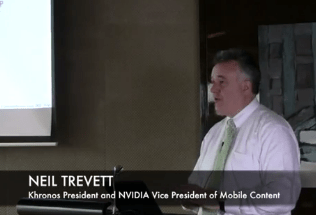
Neil Trevett on OpenCL

The Khronos Group gave some talks on their technologies in Shanghai China on the 17th of March 2012. Neil Trevett did some interesting remarks on the position of NVidia on OpenCL I would like to share with you. Neil Trevett is both an important member of Khronos and employee of NVidia. To be more precise, he is the Vice President Mobile Content of NVidia and the president of Khronos. I think we can take his comments serious, but we must be very careful as these are mixed with his personal opinions.

Regular readers of the blog have seen I am not enthusiastic at all about NVidia’s marketing, but am a big fan of their hardware. And exactly I am very positive they are bold enough in the industry to position themselves very well with the fast-changing markets of the upcoming years. Having said that, let’s go to the quotes.

All quotes were from this video. Best you can do is to start at 41:50 till 45:35.

http://www.youtube.com/watch?v=_l4QemeMSwQ

At 44:05 he states: “In the mobile I think space CUDA is unlikely to be widely adopted“, and explains: “A party API in the mobile industry doesn’t really meet market needs“. Then continues with his vision on OpenCL: “I think OpenCL in the mobile is going to be fundamental to bring parallel computation to mobile devices” and then “and into the web through WebCL“.

Also interesting at 44:55: “In the end NVidia doesn’t really mind which API is used, CUDA or OpenCL. As long as you are get to use great GPUs“. He ends with a smile, as “great GPUs” refers to NVidia’s of course. 🙂

At 45:10 he puts NVidia’s plans on HPC, before getting back to : “NVidia is going to support both [CUDA and OpenCL] in HPC. In Mobile it’s going to be all OpenCL“.

At 45:23 he repeats his statements: “In the mobile space I expect OpenCL to be the primary tool“.

Continue reading “Neil Trevett on OpenCL”

Disruptive Technologies

Steve Streeting tweeted a few weeks ago: “Remember, experts are always wrong about disruptive tech, because it disrupts what they’re experts in.”. I’m happy I evangelise and work with such a disruptive technology and it will take time until it is bypassed by other technologies. And that other technologies will be probably be source-to-OpenCL-source compilers. At StreamHPC we therefore keep track of all these pre-compilers continuously.

Steve’s tweet got me triggered, since the stability-vs-progression-balance make changes quite hard (we see it all around us). Another reason was heard during the opening-speech of engineering world 2011 about “the cloud”, with a statement which went something like: “80% of today’s IT will be replaced by standardised cloud-solutions”. Most probably true; today any manager could and should click his/her “data from A to B”-report instead of buying a “oh, that’s very specialised and difficult” solution. But at the other side companies try to let their business live as long as possible. It’s therefore an intriguing balance.

So I came up with the idea to play my own devil’s advocate and try to disrupt GPGPU. I think it’s important to see what can disrupt the current parallel-kernel-execution model of OpenCL, CUDA and the others.

Continue reading “Disruptive Technologies”

OpenCL basics: Multiple OpenCL devices with the ICD.

tesla-xeonphi-firepro
XeonPhi, Tesla, FirePro

Most systems nowadays have more than just one OpenCL device and often from different vendors. How can they all coexist from a programming standpoint? How do they interact?

OpenCL platforms and OpenCL devices

Firstly, please bear with me for a few words about OpenCL devices and OpenCL platforms.

An OpenCL platform usually corresponds to a vendor. This is responsible for providing the OpenCL implementation for its devices. For instance, a machine with an i7-4790 Intel CPU is going to have one OpenCL platform, probably named “Intel OpenCL” and this platform will include two OpenCL devices: one is the Intel CPU itself and the other is the Intel HD Graphics 4600 GPU. This Intel OpenCL platform is providing the OpenCL implementation for the two devices and is responsible for managing them.

Let’s have another example, but this time from outside the Windows ecosystem. A MacBook running OS X and having both the Intel Iris Pro GPU and a dedicated GeForce card will show one single OpenCL platform called “Apple”. The two GPUs and the CPU will appear as devices belonging to this platform. That’s because the “Apple” platform is the one providing the OpenCL implementation for all three devices.

Last but not least, keep in mind that:

  • An OpenCL platform can have one or several devices.
  • The same device can have one or several OpenCL implementations from different vendors. In other words, an OpenCL device can belong to more than just one platform.
  • The OpenCL version of the platform is not necessarily the same with the OpenCL version of the device.

The OpenCL ICD

ICD stands for Installable Client Driver and it refers to a model allowing several OpenCL platforms to coexist. It is actually not a core-functionality, but an extension to OpenCL.

  • For Windows and Linux the ICD has been available since OpenCL 1.0.
  • OSX doesn’t have an ICD at all. Apple chose to put all the drivers themselves under one host.
  • Android did not have the extension under OpenCL 1.1, but people ported its functionality. With OpenCL 2.0 the ICD is also on Android.

How does this model work?

ICD Diagram
The OpenCL ICD on Windos

While a machine can have several OpenCL platforms, each with its own driver and OpenCL version, there is always just one ICD Loader. The ICD Loader acts as a supervisor for all installed OpenCL platforms and provides a unique entry point for all OpenCL calls. Based on the platform id, it dispatches the OpenCL host calls to the right driver.

This way you can compile against the ICD (opencl.dll on Windows or libOpenCL.so on Linux), not directly to all the possible drivers. At run-time, an OpenCL application will search for the ICD and load it. The ICD in turn looks in the registry (Windows) or a special directory (Linux) to find the registered OpenCL drivers. Each OpenCL call from your software will be resolved by the ICD, which will further dispatch requests to the selected OpenCL platform.

A few things to keep in mind

The ICD gets installed on your system together with the drivers of the OpenCL devices. Hence, a driver update can also result in an update of the ICD itself. To avoid problems, an OS can decide to handle the OpenCL itself.

Please note that the ICD, the platform and the OpenCL library linked against the application may not necessarily correspond to the same OpenCL version.

I hope this explains how the ICD works. If you have any question or suggestion, just leave a comment. Also check out the Khronos page for the ICD extension. And if you need the sources to build your own ICD (with license that allows you to distribute it with your software), check the OpenCL registry on Khronos.

Is the CPU slowly turning into a GPU?

It's all in the plan
It’s all in the plan?

Years ago I was surprised by the fact that CPUs were also programmable with OpenCL – I solely chose that language for the cool of being able to program GPUs. It was weird at start, but cannot think of a world without OpenCL working on a CPU.

But why is it important? Who cares about the 4 cores of a modern CPU? Let me first go into why CPUs have had mostly 2 cores for so long, about 15 years ago. Simply put, it was very hard to program multi-threaded software that made use of all cores. Software like games did, as they needed all the available resources, but even the computations in MS Excel are mostly single-threaded as of now. Multi-threading was maybe used most for having a non-blocking user-interface. Even though OpenMP was standardised 15 years ago, it took many years before the multi-threaded paradigm was used for performance. If you want to read more on this, search the web for “the CPU frequency wall”.

More interesting is what is happening now with CPUs. Both Intel and AMD are releasing CPUs with lost of cores. Intel has recently a 18-core processor (Xeon E5 2699-v3) and AMD was offering 16-core CPUs for a longer time (Opteron 6300 series). Both have SSE and AVX, which means extra parallelism. If you don’t know what this is precisely about, read my 2011-article on how OpenCL uses SSE and AVX on the CPU.

AVX3.2

Intel now steps forward with AVX3.2 on their Skylake CPUs. AVX 3.1 is in XeonPhi “Knight’s Landing” – see this rumoured roadmap

It is 512-bits wide, which means that 8 times as much vector-data can be computed! With 16 cores, this would mean 128 float operations per clock-tick. Like a GPU.

The disadvantage is alike the VLIW we had in the pre-GCN generation of AMD GPUs: one needs to fill the vector-instructions to get the speed-up. Also the relatively slow DDR3 memory is an issue, but lots of progress is being made there with DDR4 and stacked memory.

B6r22cCIQAAEPmP

So is the CPU turning into a GPU?

I’d say yes.

With AVX3.2 the CPU gets all the characteristics of a GPU, except the graphics pipeline. That means that the CPU-part of the CPU-GPU is acting more like a GPU. The funny part is that with the GPU’s scalar-architecture and more complex schedulers, the GPU is slowly turning into a CPU.

In this 2012-article I discussed the marriage between the CPU and GPU. This merger will continue in many ways – a frontier where the HSA-foundation is doing great work now.  So from that perspective, the CPU is transforming into a CPU-GPU; and we’ll keep calling it a CPU.

This all strengthens my believe in the future of OpenCL, as that language is prepared for both task-parallel and data-parallel programs – for both CPUs and GPUs, to say it in current terminology.

Starting with GROMACS and OpenCL

Gromacs-OpenCLNow that GROMACS has been ported to OpenCL, we would like you to help us to make it better. Why? It is very important we get more projects ported to OpenCL, to get more critical mass. If we only used our spare resources, we can port one project per year. So the deal is, that we do the heavy lifting and with your help get all the last issues covered. Understand we did the port using our own resources, as everybody was waiting for others to take a big step forward.

The below steps will take no more than 30 minutes.

Getting the sources

All sources are available on Github (our working branch, bases on GROMACS 5.0). If you want to help, checkout via git (on the command-line, via Visual Studio (included in 2013, 2010 and 2012 via git  plugin), Eclipse or your preferred IDE. Else you can simply download the zip-file. Note there is also a wiki, where most of this text came from. Especially check the “known limitations“. To checkout  via git, use:

git clone git@github.com:StreamHPC/gromacs.git

Building

You need a fully working building environment (GCC, Visual Studio), and an OpenCL SDK installed. You also need FFTW. Gromacs installer can build it for you, but it is also in Linux repositories, or can be downloaded here for Windows. Below is for Linux, without your own FFTW installed (read on for more options and explanation):

mkdir build
cd build
cmake .. -DGMX_BUILD_OWN_FFTW=ON -DGMX_GPU=ON -DGMX_USE_OPENCL=ON -DCMAKE_BUILD_TYPE=Release

There are several other options, to build. You don’t need them, but it gives an idea what is possible:

  • -DCMAKE_C_COMPILER=xxx equal to the name of the C99 compiler you wish to use (or the environment variable CC)
  • -DCMAKE_CXX_COMPILER=xxx equal to the name of the C++98 compiler you wish to use (or the environment variable CXX)
  • -DGMX_MPI=on to build using an MPI wrapper compiler. Needed for multi-GPU.
  • -DGMX_SIMD=xxx to specify the level of SIMD support of the node on which mdrun will run
  • -DGMX_BUILD_MDRUN_ONLY=on to build only the mdrun binary, e.g. for compute cluster back-end nodes
  • -DGMX_DOUBLE=on to run GROMACS in double precision (slower, and not normally useful)
  • -DCMAKE_PREFIX_PATH=xxx to add a non-standard location for CMake to search for libraries
  • -DCMAKE_INSTALL_PREFIX=xxx to install GROMACS to a non-standard location (default /usr/local/gromacs)
  • -DBUILD_SHARED_LIBS=off to turn off the building of shared libraries
  • -DGMX_FFT_LIBRARY=xxx to select whether to use fftw, mkl or fftpack libraries for FFT support
  • -DCMAKE_BUILD_TYPE=Debug to build GROMACS in debug mode

It’s very important you use the options GMX_GPU and GMX_USE_OPENCL.

If the OpenCL files cannot be found, you could try to specify them (and let us know, so we can fix this), for example:

cmake .. -DGMX_BUILD_OWN_FFTW=ON -DGMX_GPU=ON -DGMX_USE_OPENCL=ON -DCMAKE_BUILD_TYPE=Release \
  -DOPENCL_INCLUDE_DIR=/usr/include/CL/ -DOPENCL_LIBRARY=/usr/lib/libOpenCL.so

Then make and optionally check the installation (success currently not guaranteed). For make you can use the option “-j X” to launch X threads. Below is with 4 threads (4 core CPU):

make -j 4

If you only want to experiment, and not code, you can install it system-wide:

sudo make install
source /usr/local/gromacs/bin/GMXRC

In case you want to uninstall, that’s easy. Run this from the build-directory:

sudo make uninstall

Building on Windows, special settings and problem solving

See this article on the Gromacs website. In all cases, it is very important you turn on GMX_GPU and GMX_USE_OPENCL. Also the wiki of the Gromacs OpenCL project has lots of extra information. Be sure to check them, if you want to do more than just the below benchmarks.

Run & Benchmark

Let’s torture GPUs! You need to do a few preparations first.

Preparations

Gromacs needs to know where to find the OpenCL kernels, for both Linux and Windows. Under Linux type: export GMX_OCL_FILE_PATH=/path-to-gromacs/src/. For Windows define GMX_OCL_FILE_PATH environment variable and set its value to be /path_to_gromacs/src/

Important: if you plan to make changes to the kernels, you need to disable the caching in order to be sure you will be using the modified kernels: set GMX_OCL_NOGENCACHE and for NVIDIA also CUDA_CACHE_DISABLE:

export GMX_OCL_NOGENCACHE
export CUDA_CACHE_DISABLE

Simple benchmark, CPU-limited (d.poly-ch2)

Then download archive “gmxbench-3.0.tar.gz” from ftp://ftp.gromacs.org/pub/benchmarks. Unpack it in the build/bin folder. If you have installed it machine wide, you can pick any directory you want. You are now ready to run from /path-to-gromacs/build/bin/ :

cd d.poly-ch2
../gmx grompp
../gmx mdrun

Now you just ran Gromacs and got results like:

Writing final coordinates.

           Core t (s)   Wall t (s)      (%)
 Time:        602.616      326.506    184.6
             (ns/day)   (hour/ns)
Performance:    1.323      18.136

Get impressed by the GPU (adh_cubic_vsites)

This experiment is called “NADP-DEPENDENT ALCOHOL DEHYDROGENASE in water”. Download “ADH_bench_systems.tar.gz” from ftp://ftp.gromacs.org/pub/benchmarks. Unpack it in build/bin.

cd adh_cubic_vsites
../gmx grompp -f pme_verlet_vsites.mdp
../gmx mdrun

If you want to run from the first GPU only, add “-gpu_id 0” as a parameter of mdrun. This is handy if you want to benchmark a specific GPU.

What’s next to do?

If you have your own experiments, ofcourse test them on your AMD devices. Let us know how they perform on “adh_cubic_vsites”! Understand that Gromacs was optimised for NVidia hardware, and we needed to reverse a lot of specific optimisations for good performance on AMD.

We welcome you to solve or report an issue. We are now working on optimisations, which are the most interesting tasks of a porting job. All feedback and help is really appreciated. Do you have any question? Just ask them in the comments below, and we’ll help you on your way.


Performance can be measured as Throughput, Latency or Processor Utilisation

40225151 - fiber optic cable
Getting data from one point to another can be measured in throughput and latency.

When you ask how fast code is, then we might not be able to answer that question. It depends on the data and the metric.

In this article I’ll give an overview of different ways to describe speed and what metrics are used. I focus on two types of data-utilisations:

  • Transfers. Data-movements through cables, interconnects, etc.
  • Processors. Data-processing. with data in and data out.

Both are important to select the right hardware. When we help our customers select the best hardware for their software,an important part of the advice is based on it.

Transfer utilisation: Throughput

How many bytes gets processed per second, minute or hour? Often a metric of GB/s is used, but even MB/day is possible. Alternatively items per second is used, when relative speed is discussed. An alternative word is bandwidth, which described the theoretical maximum instead of the actual bytes being transported.

The typical type of software is a batch-process – think media-processing (audio, video, images), search-jobs and neural networks.

It could be that all answers are computed at the end of the batch-process, or that results are given continuously. The throughput is the same, but the so called latency is very different.

Transfer utilisation: Latency

What is the time between the data-offering and the results? Or what is the reaction time? It is measured in time (often nanoseconds (ns, a billionth of a second), microsecond (μs, a millionth of a second) or milliseconds (ms, a thousandth of a second). When latency gets longer than seconds, its still called latency but more often it’s called “processing time”

This is important in streaming applications – think of applications in broadcasting and networking.

There are three causes for latency:

  1. Reaction time: hardware/software noticing there is a job
  2. Transport time: it takes time to copy data, especially when we talk GBs
  3. Process time: computing the data can

When latency is most important we use FPGAs (see this short presentation on OpenCL-on-FPGAs) or CPUs with embedded GPUs (where the total latency between context-switching from and to the GPU is a lot lower than when discrete GPUs are used).

Processor utilisation: Throughput

Given the current algorithm, how much potential is left on the given hardware?

The algorithm running on the processor possibly is the bottleneck of the system. The metric we use for this balance is “”FLOPS per byte”. This means that the less data is needed per compute operation, the higher the chance that the algorithm is compute-limited. FYI: unless your algorithm is very inefficient, you should be very happy when you’re compute-limited.

resizedimage600300-rooflineai (1)

The below image shows how the above algorithms on the roofline-model. You see that for many processors you need to have at least 4 FLOPS per byte to hit the frequency-wall, else you’ll hit the bandwidth-wall.

roofline

This is why HBM is so important.

Processors utilisation: Latency

How fast can data get in and out of the processor? This sets the minimum latency that can be reached. The metric is the same as for transfers (time), but then on system level.

For FPGAs this latency can be very low (10s of nanoseconds) when data-cables are directly connected to the FPGA-chip. Such FPGAs are on a board with i.e. a network-port and/or a DisplayPort-port.

GPUs depend on how well they’re connected to the CPU. As this is a subject on its own, I’ll discuss in another post.

Determining the theoretical speed of a system

A request “Make this hardware as fast as possible” is a lot easier (and cheaper) to solve than “Make this hardware as fast as possible on hardware X”. This is because there is no one fastest hardware (even though vendors make believe us so), there is only hardware most optimal for a specific algorithm.

When doing code-reviews, we offer free advice on which hardware is best for the target algorithm, for the given budget and required power-envelope. Contact us today to access our knowledge.

OpenCL alternatives for CUDA Linear Algebra Libraries

While CUDA has had the advantage of having many more libraries, this is no longer its main advantage if it comes to linear algebra. If one thing changed over the past year, then it is linalg library-support for OpenCL. The choices have been increased at a continuous rate, as you can see the below list.

A general remark when using these libraries. When using them you need to handle your data-transfers and correct data-format, with great care. If you don’t think it through, you won’t get the promised speed-up. If not mentioned, then free.

Subject CUDA OpenCL
FFT
cuff_ampchart

The NVIDIA CUDA Fast Fourier Transform library (cuFFT) provides a simple interface for computing FFTs up to 10x faster. By using hundreds of processor cores inside NVIDIA GPUs, cuFFT delivers the…

clFFT is a software library containing FFT functions written in OpenCL. In addition to GPU devices, the library also supports running on CPU devices to facilitate debugging and multicore programming.
Linear Algebra
MAGMA-Logo

MAGMA is a collection of next generation, GPU accelerated ,linear algebra libraries. Designed for heterogeneous GPU-based architectures. It supports interfaces to current LAPACK and BLAS standards.

clMAGMA is an OpenCL port of MAGMA for AMD GPUs. The clMAGMA library dependancies, in particular optimized GPU OpenCL BLAS and CPU optimized BLAS and LAPACK for AMD hardware, can be found in the AMD Accelerated Parallel Processing Math Libraries (APPML).
Sparse Linear Algebra
cusp_logo

CUSP is an open source C++ library of generic parallel algorithms for sparse linear algebra and graph computations on CUDA architecture GPUs. CUSP provides a flexible, high-level interface for manipulating sparse matrices and solving sparse linear systems.

clBLAS implements the complete set of BLAS level 1, 2 & 3 routines. Please see Netlib BLAS for the list of supported routines. In addition to GPU devices, the library also supports running on CPU devices to facilitate debugging and multicore programming.ViennaCL is a free open-source linear algebra library for computations on many-core architectures (GPUs, MIC) and multi-core CPUs. The library is written in C++ and supports CUDA, OpenCL, and OpenMP. In addition to core functionality and many other features including BLAS level 1-3 support and iterative solvers, the latest release ViennaCL 1.5.0 provides many new convenience functions and support for integer vectors and matrices.VexCL is a vector expression template library for OpenCL/CUDA. It has been created for ease of GPGPU development with C++. VexCL strives to reduce amount of boilerplate code needed to develop GPGPU applications. The library provides convenient and intuitive notation for vector arithmetic, reduction, sparse matrix-vector products, etc. Multi-device and even multi-platform computations are supported.
Random number generation
cuRandImage

The NVIDIA CUDA Random Number Generation library (cuRAND) delivers high performance GPU-accelerated random number generation (RNG). The cuRAND library delivers high quality random numbers 8x…

The Random123 library is a collection of counter-based random number generators (CBRNGs) for CPUs (C and C++) and GPUs (CUDA and OpenCL). They are intended for use in statistical applications and Monte Carlo simulation and have passed all of the rigorous SmallCrush, Crush and BigCrush tests in the extensive TestU01 suite of statistical tests for random number generators. They are not suitable for use in cryptography or security even though they are constructed using principles drawn from cryptography.
KeyVisual_Primary_verysm

The CUDA Math library is an industry proven, highly accurate collection of standard mathematical functions. Available to any CUDA C or CUDA C++ application simply by adding “#include math.h” in…

Looking into the details of what the CUDA math lib exactly is.
AI
GPU_AI_games

A technology preview with CUDA accelerated game tree search of both the pruning and backtracking styles. Games available: 3D Tic-Tac-Toe, Connect-4, Reversi, Sudoku and Go.

There are many tactics to speed up such algorithms. This CUDA-library can therefore only be used for limited cases, but nevertheless it is a very interesting research-area. Ask us for an OpenCL based backtracking and pruning tree searching, tailored for your problem.
Dense Linear Algebra
CULAtoolslogo2
Provides accelerated implementations of the LAPACK and BLAS libraries for dense linear algebra. Contains routines for systems solvers, singular value decompositions, and eigenproblems. Also provides various solvers.
Free (with limitations) and commercial.
See ViennaCL, VexCL and clBLAS above. Kudos to the CULA-team, as they were one of the first with a full GPU-accelerated linear algebra product.
Fortran
RogueWave-IMSL-Box2
The IMSL Fortran Numerical Library is a comprehensive set of mathematical and statistical functions available that offloads CPU work to NVIDIA GPU hardware where the cuBLAS library is utilized.
Free (with limitations) and commercial.
OpenCL-FORTRAN is not available yet. Contact us, if you have interest and wish to work with a pre-release once available.
Subject
arrayfire_logo340

Comprehensive GPU function library, including functions for math, signal processing, image processing, statistics, and more. Interfaces for C, C++, Fortran, and Python. Integrates with any CUDA-program.

Free (with limitations) and commercial.

ArrayFire 2.0 is also available for OpenCL. Note that currently fewer functions are supported in the OpenCL-version than are supported in CUDA-ArrayFire, so please check the OpenCL documentation for supported feature list.Free (with limitations) and commercial.
Subject
nppeye

The NVIDIA Performance Primitives library (NPP) is a collection of over 1900 image processing primitives and nearly 600 signal processing primitives that deliver 5x to 10x faster performance than…

Kudos for NVIDIA for bringing it all at one place. OpenCL-devs have to do some googling for specific algorithms.

So the gap between CUDA and OpenCL is certainly closing. CUDA provides a lot more convenience, so OpenCL-devs still have to keep reading blogs like this one to find what’s out there.

As usual, if you have additions to this list (free and commercial), please let me know in the comments below or by mail. I also have a few more additions to this list myself – depending on your feedback, I might represent the data differently.

OpenCL SPIR by example

SPIR2OpenCL SPIR (Standard Portable Intermediate Representation) is an intermediate representation for OpenCL-code, comparable to LLVM IL and HSAIL. It is a search for what would be a good representation, such that parallel software runs well on all kinds of accelerators. LLVM IL is too general, but SPIR is a subset of it. I’ll discuss HSAIL, on where it differs from SPIR – I thought SPIR was a better way to start introducing these. In my next article I’d like to give you an overview of the whole ecosphere around OpenCL (including SPIR and HSAIL), to give you an understanding what it all means and where we’re going to, and why.

Know that the new SPIR-V is something completely different in implementation, and we are only discussing the old SPIR here.

Contributors for the SPIR specifications are: Intel, AMD, Altera, ARM, Apple, Broadcom, Codeplay, Nvidia, Qualcomm and Xilinx. Boaz Ouriel of Intel is the pen-holder of the specifications and to no surprise Intel has had the first SPIR-compiler. I am happy to see Nvidia is in the committee too, and hope they don’t just take ideas for CUDA from this collaboration but finally join. Broadcom and Xilinx are new, so we can expect stuff from them.


For now, just see what SPIR is – as it can help us understand how the compiler work and write better OpenCL code. I used Intel’s offline OpenCL compiler for compiling the below kernel to SPIR can be done on the command line with: ioc64 -cmd=build -input=sum.cl -llvm-spir32=sum.ll (you need an Intel CPU to use the compiler).

[raw]

__kernel void sum(const int size, __global float * vec1, __global float * vec2){
  int ii = get_global_id(0);

  if(ii < size) vec2[ii] += vec1[ii];

}

[/raw]

There are two variations for generating SPIR-code: binary SPIR, LLVM-SPIR (both in 32 and 64 bit versions). As you might understand, the binary form is not really readable, but SPIR described in the LLVM IL language luckily is. Run ioc64 without parameters to see more options (Assembly, pure LLVM, Intermediate Binary).

WebCL Widget for WordPress

webcl-widget-adminSee the widget at the right showing if your browser+computer supports WebCL?

It is available under the GPL 2.0 license and based on code from WebCL@NokiaResearch (thanks guys for your great Firefox-plugin!)

Download from WordPress.org and unzip in /wp-content/plugins/. Or (better), search for a new plugin: “WebCL”. Feedback can be given in the comments.

I’d like to get your feedback what features you would like to see in the next version.

Continue reading “WebCL Widget for WordPress”

OpenCL Videos of AMD’s AFDS 2012

AFDS was full of talks on OpenCL. You missed them, just like me? Then you will be happy that they put many videos on Youtube!

Enjoy watching! As all videos are around 40 minutes, it is best to take a full day for watching them all. The first part is on openCL itself, second is on tools, third on OpenCL usages, fourth on other subjects.

Continue reading “OpenCL Videos of AMD’s AFDS 2012”