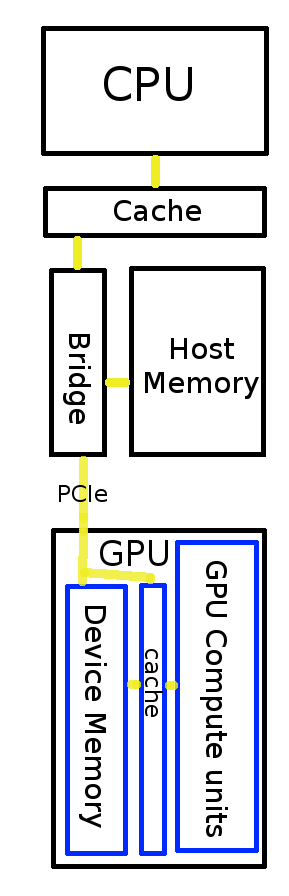

 Time for some basic concepts of OpenCL. As I notice a growing number of visitors to this page, I notices I have actually not written much about coding and basics.
One of the first steps of an OpenCL program is selecting hosts and devices. If you program for a tablet, which has one chip and a screen, you don’t think of several devices. And if you log in on a server, your context is there is one host and that’s the one you logged into. If you have read my article about how to install all drivers on Ubuntu, you have gotten several clues. I added some tips&tricks, but not too many. If you know more stuff about this subject yourself, please share with others in the comments.



 About 5 months ago we started


 The Wine 1.3 branch has support for OpenCL 1.0 since
 Developing with OpenCL is fun, if you like debugging. Having software with support for OpenCL is even more fun, because no debugging is needed. But what would be a good machine? Below is an overview of what kind of hardware you have to think about; it is not in-depth, but gives you enough information to make a decision in your local or online computer store.