General articles on technical subjects.

OpenCL Developer support by NVIDIA, AMD and Intel

There was some guy at Microsoft who understood IT very well while being a businessman: “Developers, developers, developers, developers!”. You saw it again in the mobile market and now with OpenCL. Normally I watch his yearly speech to see which product they have brought to their own ecosphere, but the developers-speech is one to watch over and over because he is so right about this! (I don’t recommend the house-remixes, because those stick in your head for weeks.)

Since OpenCL needs to be optimised for each platform, it is important for the companies that developers start developing for their platform first. StreamComputer is developing a few different Eclipse-plugins for OpenCL-development, so we were curious what was already there. Why not share all findings with you? I will keep this article updated – know this article does not cover which features are supported by each SDK.

Continue reading “OpenCL Developer support by NVIDIA, AMD and Intel”

Support matrix of Compute SDKs

Multi-Core Processors and the SDKs

The empty boxes tell IBM and ARM have a lot of influence. With NVIDIA’s current pace with introducing new products (hardware and CUDA), they could also take on ARM.

The matrix is restricted to current better-known compute technologies OpenCL, CUDA, Intel ArrBB, Pathscale ENZO, MS DirectCompute and AccelerEyes JacketLib.

X = All OSes, including MAC
D = Developer (private alpha or private beta)
P = Planned (as i.e. stated in Intel’s Q&A)
U = Unofficial (IBM’s OpenCL-SDK is promoted for their POWER-line)
L = Linux-only
W= Windows-only
? = Unknown if planned

Continue reading “Support matrix of Compute SDKs”

Disruptive Technologies

Steve Streeting tweeted a few weeks ago: “Remember, experts are always wrong about disruptive tech, because it disrupts what they’re experts in.”. I’m happy I evangelise and work with such a disruptive technology and it will take time until it is bypassed by other technologies. And that other technologies will be probably be source-to-OpenCL-source compilers. At StreamHPC we therefore keep track of all these pre-compilers continuously.

Steve’s tweet got me triggered, since the stability-vs-progression-balance make changes quite hard (we see it all around us). Another reason was heard during the opening-speech of engineering world 2011 about “the cloud”, with a statement which went something like: “80% of today’s IT will be replaced by standardised cloud-solutions”. Most probably true; today any manager could and should click his/her “data from A to B”-report instead of buying a “oh, that’s very specialised and difficult” solution. But at the other side companies try to let their business live as long as possible. It’s therefore an intriguing balance.

So I came up with the idea to play my own devil’s advocate and try to disrupt GPGPU. I think it’s important to see what can disrupt the current parallel-kernel-execution model of OpenCL, CUDA and the others.

Continue reading “Disruptive Technologies”

Engineering World 2011: OpenCL in the Cloud

[Dutch] Op het Sogeti Engineering World 2011 heb ik een presentatie gehouden over OpenCL in de cloud, in het Nederlands. Om the coolheidsfactor te verhogen heb ik gebruik gemaakt van Prezi als contrast met de standaard dia-show-presentaties. Het resultaat treft u hier beneden, maar kan helaas onmogelijk het hele verhaal vertellen dat ik gedeeld heb tijdens de presentatie. Wilt u ergens iets meer van afweten, vraag gewoon of zet een comment onderaan dit artikel. Ik luister naar mijn lezers via Twitter.

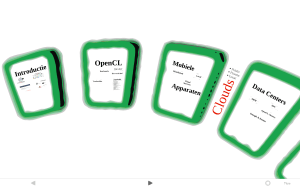
De presentation bestaat uit 4 delen: een introductie, uitleg van OpenCL, Mobiele apparaten en and Data-centres. De laatste twee vormen cloud-computing.

[English] At the Sogeti Engineering World 2011 I presented about OpenCL in the cloud, in Dutch. To increase the relative cool-factor I made sure I had the only Prezi-presentation between the standard sheet-flip presentations. The result you can see below, but can impossibly tell all I shared at the presentation. If you want to know more, just ask or put an comment under this article. I listen to my readers via Twitter.

The presentation has four parts: an introduction, explanation of OpenCL, Mobile devices and data centres. The last two form a segment cloud-computing I want to focus on.

Continue reading “Engineering World 2011: OpenCL in the Cloud”

Waiting for Mobile OpenCL – Q1 2011

About 5 months ago we started waiting for Mobile OpenCL. Meanwhile we had all the news around ARM on CES in January, and of course all those beta-programs made progress meanwhile. And after a year of having “support“, we actually want to see the words “SDK” and/or “driver“. So who’s leading? Ziilabs, ImTech, Vivante, Qualcomm, FreeScale or newcomer nVIDIA?

Mobile phone manufacturers could have a big problem with the low-level access to the GPU. While most software can be sandboxed in some form, OpenCL can crash the phone. But at the other side, if the program hasn’t taken down the developer’s test-phone, the chances are low it will take any other phone. And also there are more low-level access-points to the phone. So let’s check what has happened until now.

Note: this article will be updated if more news comes from MWC ’11.

OpenCL EP

For mobile devices Khronos has specified a profile, which is optimised for (ARM) phones: OpenCL Embedded Profile. Read on for the main differences (taken from a presentation by Nokia).

Main differences

  • Adapting code for embedded profile
  • Added macro __EMBEDDED_PROFILE__
  • CL_PLATFORM_PROFILE capabilityreturns the string EMBEDDED_PROFILE if only the embedded profile is supported
  • Online compiler is optional
  • No 64-bit integers
  • Reduced requirements for constant buffers, object allocation, constant argument count and local memory
  • Image & floating point support matches OpenGL ES 2.0 texturing
  • The extensions of full profile can be applied to embedded profile

Continue reading “Waiting for Mobile OpenCL – Q1 2011”

Benchmarks Q1 2011

February Benchmark Month. The idea is that you do at least one of the following benchmarks and put the results on the Khronos Forum. If you encounter any technical problems or you think the benchmark favours a certain brand, discuss it below this post. If I missed a benchmark, please put a comment under this post.

Since OpenCL works on all kinds of hardware, we can find out which is the fastest: Intel, AMD or NVIDIA.I don’t think all benchmarks are fit for IBM’s hardware, but I hope to see results of some IBM Cells too. If all goes well, I’ll show the first results of the fastest cards posted in April . Know that if the numbers are off too much, I might want to see further proof.

Happy benchmarking!

Continue reading “Benchmarks Q1 2011”

Felix Fernandez's "More, More, More"

SSEx, AVX, FMA and other extensions through OpenCL

Felix Fernandez's "More, More, More"This discussion is about a role OpenCL could play in a diversifying processor-market.

Both AMD and Intel have added parallel instruction-sets for their CPUs to accelerate in media-operations. Each time a new instruction-set comes out, code needs to be recompiled to make use of it. But what about support for older processors, without penalties? Intel had some troubles with how to get support for their AVX-instructions, and choose for both their own Array Building Blocks and OpenCL. What I want to discuss here are the possibilities available to make these things easier. Also I want to focus on if a general solution “OpenCL for any future extensions” could hold. I make an assumption that most extensions target mostly parallelisation with media in mind, most notable embedded GPUs on upcoming hybrid processors. I talked about this subject before in “The rise of the GPGPU compiler“.

Virtual machines

Java started in 1996 with the idea that end-point optimisation should be done by compiling intermediate code to the target-platform. The idea still holds and there are many possibilities to optimise intermediate code for SSE4/5, AVX, FMA, XOP, CLMUL and any other extension. Same is of course for dotNET.

Disadvantage is the device-models that are embedded in such compilers, which have not really take specialised instructions into account. So if I have a normal loop, I’m not sure it will work great on processors launched this year. C has pragmas for message-protocols, Java needs extensions. See Neal Gafter’s discussion about concurrent loops from 2006 for a nice discussion.

Smart Compilers

With for instance LLVM and Intel’s fast compilers, a lot can be done to get code optimised for all current processors. A real danger is that too many specialised processors will arrive the coming years; how to get maximum speed at all processors? We already have 32 and 64 bit; 128 bit is really not the only direction there is. Multi-target compilers can be something we should be getting used to, for which no standard is created for yet – only Apple has packed 32 and 64 bits together.

Years ago when CPUs started to have support for the multiply-add operation, a part of the compiled code had to be specially for this type of processor – giving a bigger binary. With any new type of extension, the binary gets bigger. It has to, else the potential of your processor will not be used and sales will drop in favour of cheaper chips. To sell software with support for each new extension, it takes time – in most cases reserved only for major releases.

Because not everybody has Gentoo (A Linux-distribution which compiles each piece of software targeting the user’s computer for maximum optimisation), it takes at least a year to get full use of the processor for most software.

OpenCL

So where does OpenCL fit in this picture? Virtual machines are optimised for threads and platform-targeting compilers are slow in distribution. Since drivers for CPUs are part of the OS-updating system, OpenCL-support in those drivers can get the new extensions utilised soon after market-introduction. The coming year more will be done for automatic optimisation for a broad range of processor-types – more about that later. This focus from the compiler to an OpenCL-library for handling optimal kernel-launching will get an optimum somewhere in between.

The coming time we will see OpenCL is indeed a more stable solution than for instance Intel’s Array Building Blocks, seen from the light of recompiling. If OpenCL can target all kinds of parallel extensions, it will offer the demanded flexibility the market demands in this diversifying processor-market. I used the word ‘demand’, because the consumer (being it an individual or company) who buys a new computer, wants his software to be faster, not potentially faster. What do you think?

Gedit OpenCL Syntax Highlighting

Update 17-06-2011: updated version of opencl.lang and added opencl_host.lang.

When learning a language it is nice to do it the hard way, so you take the default txt-file editor provided with your OS. No colours, not help, no nothing, pure hard-core learning. But in Linux-desktop Gnome the default editor Gedit is quite powerful without doing too much, has an official Windows-port and has a OSX Darwin-port. It took just a few hours to understand how highlighting in Gedit works and to get it implemented. I got some nice help from the work done at the cuda-highlighter by Hüseyin Temucin (for showing how to extend the c-highlighter the best way) and the VIM OpenCL-highlighter by Terence Ou (for all the reserved words). This is work in progress; I will tell about updates via Twitter.

Get it

Windows-users first need to download Gedit for Windows. OSX-folks can check Darwin-ports. Then the files opencl.lang (.cl-files) and opencl_host.lang (extension of c to highlight OpenCL-keywords) needs to be put in /usr/share/gtksourceview-2.0/language-specs/ (or in ~/.local/share/gtksourceview-2.0/language-specs/ for local usage only), or for Window in C:Program Filesgeditsharegtksourceview-2.0language-specs or for OSX in /Applications/gedit.app/Contents/Resources/share/gtksourceview-2.0/language-specs/. Make sure all Gedit-windows are closed so the configuration will be re-read, and then open a .cl-file with Gedit. If you have opened cl-files as C or Cuda, you have to set the highlighting to OpenCL manually (under view -> highlighting). For host-code you always need to set the highlighting manually to “OpenCL host”. You might want to associate cl-files with Gedit.

Alternatives

VIM: http://www.vim.org/scripts/script.php?script_id=3157

Notepad++: http://sourceforge.net/tracker/?func=detail&aid=2957794&group_id=95717&atid=612384

SciTE: http://forums.nvidia.com/index.php?showtopic=106156

StreamHPC is working on Eclipse-support and I’ve understood also work is done for Netbeans-support. Let me know if there are more alternatives.

ImageJ and OpenCL

For a customer I’m writing a plugin for ImageJ, a toolkit for image-processing and analysis in Java. Rick Lentz has written an OpenCL-plugin using JOCL. In the tutorial step 1 is installing the great OS Ubuntu, but that would not be the fastest way to get it going, and since JOCL is multi-platform this step should be skippable. Furthermore I rewrote most of the code, so it is a little more convenient to use.

In this blog-post I’ll explain how to get it up and running within 10 minutes with the provided information.

Continue reading “ImageJ and OpenCL”

OpenCL under Wine

The Wine 1.3 branch has support for OpenCL 1.0 since 1.3.9. Since Microsoft likes to get a little part of the Linux-dominated HPC-market, support for GPGPU is pretty good under the $799.00 costing Visual Studio – the free Express-version is not supported well. But why not take the produced software back via Wine? Problem is that OpenCL is not in the current Wine binaries for some reason, but that is fixable until we wait for inclusion…

Lazy or not much time? You can try my binaries (Ubuntu 32, NVIDIA), but I cannot guarantee they work for you and it is on your own responsibility: download (reported not working by some). See second part of step 3, what to do with it.

All the steps

I assume you have the OpenCL-SDK installed, but let me know if I need to add more details or clear up some steps.

1 – get the sources

The sources are available here. Be sure you download at least version 1.3.9. Alternatively you download the latest from git. You can get it by going to a directory and execute:

git clone git://source.winehq.org/git/wine.git

A directory “wine” will be created. That was easy, so lets go to bake some binaries.

Continue reading “OpenCL under Wine”

OpenCL mini buying guide for X86

Developing with OpenCL is fun, if you like debugging. Having software with support for OpenCL is even more fun, because no debugging is needed. But what would be a good machine? Below is an overview of what kind of hardware you have to think about; it is not in-depth, but gives you enough information to make a decision in your local or online computer store.

Companies who want to build a cluster, contact us for information. Professional clusters need different hardware than described here.

Continue reading “OpenCL mini buying guide for X86”

Phoronix OpenCL Benchmark 3.0 beta

So you want OpenCL-benchmarks? Phoronix is a benchmark for OSX and Linux, created by Michael Larabel, Matthew Tippett (http://en.wikipedia.org/wiki/Phoronix_Test_Suite). On Ubuntu Phoronix version 2.8 is in the Ubuntu “app store” (Synaptic), but 3.0 has those nice OpenCL-tests. The tests are based on David Bucciarelli‘s OpenCL demos. Starting to use Phonornix 3.0 (beta 1) is done in 4 easy steps:

  1. Download the latest beta-version from http://www.phoronix-test-suite.com/?k=downloads
  2. Extract. Can be anywehre. I chose /opt/phoronix-test-suite
  3. Install. Just type ./phoronix-test-suite in a terminal
  4. Use.

WARNING: It is beta-software and the following might not work on your machine! If you have problems with this tutorial and want or found a fix, post a reply.

Continue reading “Phoronix OpenCL Benchmark 3.0 beta”

Windows on ARM

In 2010 Microsoft got interested in ARM, because of low-power solutions for server-parks. ARM tried to lobby for years to convince Microsoft to port Windows to their architecture and now the result is there. Let’s not look to the past, why they did not do it earlier and depended completely on Intel, AMD/ATI and NVIDIA. NB: This article is a personal opinion, to open up the conversation about Windows plus OpenCL.

While Google and Apple have taken their share on the ARM-OS market, Microsoft wants some too. A wise choice, but again late. We’ve seen how the Windows-PC market was targeted first from the cloud (run services in the browser on any platform) and Apple’s user-friendly eye-candy (A personal computer had to be distinguished from a dull working-machine), then from the smartphones and tablets (many users want e-mail and a browser, not sit behind their desk). MS’s responses were Azure (Cloud, Q1 2010), Windows 7 (OS with slick user-interface, Q3 2009), Windows Phone 7 (Smartphones, Q4 2010) and now Windows 8 (OS for X86 PCs and ARM tablets, 2012 or later).

Windows 8 for ARM will be made with assistance from NVIDIA, Qualcomm and Texas Instruments, according to their press-release [1]. They even demonstrated a beta of Windows 8 running Microsoft Office on ARM-hardware, so it is not just a promise.

How can Microsoft support this new platform and (for StreamHPC more important) what will the consequences be for OpenCL, CUDA and DirectCompute.

Continue reading “Windows on ARM”

NVIDIA’s answer to SandyBridge and Fusion

Intel has Sandy Bridge, AMD has Fusion, now NVIDIA has a combination of CPU and GPU too: Project Denver. The only difference is that it is not X86-based, but an ARM-architecture. And most-probable the most powerful ARM-GPU of 2011.

For years there were ARM-based Systems-on-a-chip: a CPU and a GPU combined (see list below). On the X86-platform the “integrated GPU” was on the motherboard, and since this year now both AMD/ATI and Intel hit this “new market”.The big advantage is that it’s cheaper to produce, is more powerful per Watt (in total) and has good acceleration-potential. NVIDIA does not have X86-chips and would have been the big loser of 2011; they did everything to reinvent themselves: 3D was reintroduced, CUDA was actively developed and pushed (free libraries and tools, university-programs, many books and trainings, Tesla, etc), a mobile Tegra graphics solution [1] (see image at the right),  and all existing products got extra backing from the marketing-department. A great time for researchers who needed to get free products in exchange of naming NVIDIA in their research-reports.

NVIDIA chose for ARM; interesting for who is watching the CUDA-vs-OpenCL battle, since CUDA was for GPUs of NVIDIA on X86 and ARM was solely for OpenCL. Period. In the contrary to their other ARM-based chips, this new chip probably won’t be in smartphones (yet); it targets systems that need more GPU-power like CUDA and games.

In a few days the article about Windows-on-ARM is to be released, which completes this article.

Continue reading “NVIDIA’s answer to SandyBridge and Fusion”

Happy New Year!

About a year ago this site was launched and a half year ago StreamHPC as a company was official for the Chamber of Commerce. It has been a year of hard work, but the reason for this all started after seeing the cover of a book about bore-outs. The result is there with a growing number of visitors from all over the world (from 62 countries since 23-Dec-2010) and new twitter-followers every week. Now some mixed news for 2011:

  • We are soon going to release a few plugins for Eclipse, both free and paid, to simplify your development.
  • 2011 will be the year of hybrid processors (Intel SandyBridge and AMD Fusion), which will make OpenCL much more popular.
  • 2011 is also going to be the year of the smart-phone (prognosis: in 2011 more smart-phones will be sold than PCs). So even more OpenCL-potential.
  • At 31-Dec-2010 we migrated the site to a faster server to reduce waiting-time also online.
  • The book will be released in parts, to avoid more delays.
  • There will be around ten (short) articles published in January. Both developers and managers will be served.
  • Our goal is to expand. We have shown you our vision, but we want to show you more.

In a few words: 2011 is going to be exciting! We wish all our readers, business-partners, friends, family and (new) customers a super-accelerated 2011!

StreamHPC – we accelerate your computations

DirectCompute’s unpopularity

In the world of GPGPU we have currently 4 players: Khronos OpenCL, NVIDIA CUDA, Microsoft DirectCompute and PathScal ENZO. You probably know CUDA and OpenCL already (or start reading more articles from this blog). ENZO is a 64bit-compiler which serves a small niche-market, and DirectCompute is built on top of CUDA/OpenCL or at least uses the same drivers.

Edit 2011-01-03: I was contacted by Pathscale about my conclusions about ENZO. The reason why not much is out there is that they’re still in closed alpha. Expect more to hear from them about ENZO somewhere in the coming 3 months.

A while ago there was an article introducing OpenCL by David Kanter who claimed on page 4 that DirectCompute will win from CUDA. I quote:

Judging by history though, OpenCL and DirectCompute will eventually come to dominate the landscape, just as OpenGL and DirectX became the standards for graphics.

I twittered that I totally disagreed with him and in this article I will explain why I think that.

Continue reading “DirectCompute’s unpopularity”

OpenCL Fireworks

I like and appreciate differences in the many cultures on our Earth, but also like to recognise different very old traditions everywhere to feel a sort of ancient bond. As an European citizen I’m quite familiar with the replacement of the weekly flowers with a complete tree, each December – and the burning of al those trees in January. Also celebration of New Year falls on different dates, the Chinese new year being the best known (3 February 2011). We – internet-using humans – all know the power of nicely coloured gunpowder: fireworks!

Let’s try to explain the workings of OpenCL in terms of fireworks. The following data is not realistic, but gives a good idea on how it works.

Continue reading “OpenCL Fireworks”

http://www.flickr.com/photos/imabug/2946930401/

OpenCL Potentials: Medical Imaging

Photo by Eugene MahWhen you ever saw a CT or MRI scanner, you might have noticed the full-sized computer next to it (especially the older ones). There is quite some processing power needed to keep up with the data-stream coming from the scanner, to process the data to a 3D-image and to visualise the data on a 2D-screen. Luckily we have OpenCL to make it even faster; which doctor doesn’t want real-time high-resolution results and which patient doesn’t want to see the results on Apple iPad or Samsung Galaxy Tab?

Architects, bankers and doctors have one thing in common: they get a better feeling for the current subject if they can play with the data. OpenCL makes it possible to process data much faster and thus let the specialist play with it. The interesting part of IT is that it is in every domain now and therefore a new series: OpenCL-potentials.

Continue reading “OpenCL Potentials: Medical Imaging”

OpenCL on the CPU: AVX and SSE

When AMD came out with CPU-support I was the last one who was enthusiastic about it, comparing it as feeding chicken-food to oxen. Now CUDA has CPU-support too, so what was I missing?

This article is a quick overview on OpenCL on CPU-extensions, but expect more to come when the Hybrid X86-Processors actually hit the market. Besides ARM also IBM already has them; also more about their POWER-architecture in an upcoming article to give them the attention they deserve.

CPU extensions

SSE/MMX started in the 90’s extending the IBM-compatible X86-instruction, being able to do an add and a multiplication in one clock-tick. I still remember the discussion in my student-flat that the MP3s I could produce in only 4 minutes on my 166MHz PC just had to be of worse quality than the ones which were encoded in 15 minutes. No, the encoder I “found” on the internet made use of SSE-capabilities. Currently we have reached SSE5 (by AMD) and Intel introduced a new extension called AVX. That’s a lot of abbreviations! MMX stands for “MultiMedia Extension”, SSE for “Streaming SIMD Extensions” with SIMD being “Single Instruction Multiple Data” and AVX for “Advanced Vector Extension”. This sounds actually very interesting, since we saw SIMD and Vectors op the GPU too. Let’s go into SSE (1 to 4) and AVX – both fully supported on the new CPUs by AMD and Intel.

Continue reading “OpenCL on the CPU: AVX and SSE”

Thalesians talk – OpenCL in financial computations

End of October I had a talk for the Thalesians, a group that organises different kind of talks for people working or interested in the financial market. If you live in London, I would certainly recommend you visit one of their talks. But from a personal perspective I had a difficult task: how to make a very diverse public happy? The talks I gave in the past were for a more homogeneous and known public, and now I did not know at all what the level of OpenCL-programming was of the attendants. I chose to give an overview and reserve time for questions.

After starting with some honest remarks about my understanding of the British accent and that I will kill my business for being honest with them, I spoke about 5 subjects. Some of them you might have read here, but not all. You can download the sheets [PDF] via this link: Vincent.Hindriksen.20101027-Thalesians. The below text is to make the sheets more clear, but certainly is not the complete talk. So if you have the feeling I skipped a lot of text, your feeling is right.

Continue reading “Thalesians talk – OpenCL in financial computations”

Engineering GPGPU into existing software

At the Thalesian talk about OpenCL I gave in London it was quite hard to find a way to talk about OpenCL for a very diverse public (without falling back to listing code-samples for 50 minutes); some knew just everything about HPC and other only heard of CUDA and/or OpenCL. One of the subjects I chose to talk about was how to integrate OpenCL (or GPGPU in common) into existing software. The reason is that we all have built nice, cute little programs which were super-fast, but it’s another story when it must be integrated in some enterprise-level software.

Readiness

The most important step is making your software ready. Software engineering can be very hectic; managing this in a nice matter (i.e. PRINCE2) just doesn’t fit in a deadline-mined schedule. We all know it costs less time and money when looking at the total picture, but time is just against.

Let’s exaggerate. New ideas, new updates of algorithms, new tactics and methods arrive on the wrong moment, Murphy-wise. It has to be done yesterday, so testing is only allowed when the code will be in the production-code too. Programmers just have to understand the cost of delay, but luckily is coming to the rescue and says: “It is my responsibility”. And after a year of stress your software is the best in the company and gets labelled as “platform”; meaning that your software is chosen to include all small ideas and scripts your colleagues have come up “which are almost the same as your software does, only little different”. This will turn the platform into something unmanageable. That is a different kind of software-acceptance!

Continue reading “Engineering GPGPU into existing software”