General articles on technical subjects.

Mega-kernel versus Micro-kernels in LuxRender (repost)

LuxRenderer demo-rendering

Below is a (slightly edited) repost of a blog by

I find micro-kernels an important subject, since micro-kernels have clear advantages. In OpenCL 2.0 there are more possibilities to create smaller kernels. Also making smaller and more focused functions is considered good software engineering, defined as “Separation of Concerns“.


For a general introduction to the concept of “Mega Vs Micro” kernels, read “Megakernels Considered Harmful: Wavefront Path Tracing on GPUs” by Samuli Laine, Tero Karras, and Timo Aila of NVIDIA. Abstract:

When programming for GPUs, simply porting a large CPU program
into an equally large GPU kernel is generally not a good approach.
Due to SIMT execution model on GPUs, divergence in control flow
carries substantial performance penalties, as does high register us-
age that lessens the latency-hiding capability that is essential for the
high-latency, high-bandwidth memory system of a GPU. In this pa-
per, we implement a path tracer on a GPU using a wavefront formu-
lation, avoiding these pitfalls that can be especially prominent when
using materials that are expensive to evaluate. We compare our per-
formance against the traditional megakernel approach, and demon-
strate that the wavefront formulation is much better suited for real-
world use cases where multiple complex materials are present in
the scene.

OpenCL kernels in “SmallLuxGPU” (raytracer, originally made by David) have followed the micro-kernel approach from the very beginning. However, with the merge with LuxRender and the introduction of LuxRender materials, textures, light sources, etc. one of the kernels sized up to the point of being a “Mega-kernel”.

The major problem with “Mega-kernel”, aside of the inability of AMD OpenCL compiler to compile them, is the huge register usage and the very low GPU utilization. Why this happens, is well explained in the paper.

PATHOCL Micro-kernels edition, the results

The number of kernels increases from 2 to 10, the register usage decrease from 196 (!!!) to 3-84 and the GPU utilization rise from a miserable 10% to a more healthy 30%-100%.

Occupancy increases from 10% to 30% or more
The performance increase is huge on some platform (Linux + FirePro W8100), 3.6 times:
Speed increases from 0.84M to 3.07M samples/sec

A speedup in the 20% to 40% range has been reported on MacOS/Windows + NVIDIA GPUs.

It solves the problems with AMD compiler

Micro-kernels not only improve the performance but also addressees the major issues with AMD OpenCL compiler. For the very first time since the release of first AMD OpenCL SDK beta, I’m not aware of a scene not running on AMD GPUs. This is SATtva’s Mic scene running on GPUs for the first time:

Scene builds correctly on AMD hardware for the first time

Try it out yourself

This feature will be extended to BIASPATHOCL and available in LuxRender v1.5.

A new version of PATHOCL is available in this branch. The sources of micro-kernels are available here.

To run with micro-kernels, use “path.microkernels.enable=1”.

We ported GROMACS from CUDA to OpenCL

GROMACS does soft matter simulations on molecular scale
GROMACS does soft matter simulations on molecular scale. Let it fly.

GROMACS is an important molecular simulation kit, which can do all kinds of  “soft matter” simulations like nanotubes, polymer chemistry, zeolites, adsorption studies, proteins, etc. It is being used by researches worldwide and is one of the bigger bio-informatics softwares around.

To speed up the computations, GPUs can be used. The big problem is that only NVIDIA GPU could be used, as CUDA was used. To make it possible to use other accelerators, we ported it to OpenCL. It took several months with a small team to get to the alpha-release, and now I’m happy to present it to you.

For who knows us from consultancy (and training) only, might have noticed. This is our first product!

We promised to keep it under the same open source license and that effectively means we are giving it away for free. Below I’ll explain how to obtain the sources and how to build it, but first I’d like to explain why we did it pro bono.

Why we did it

Indeed, we did not get any money (income or funds) for this. There have been several reasons, of which the below four are the most important.

  • The first reason is that we want to show what we can. Each project was under NDA and we could not demo anything we made for a customer.  We chose for a CUDA package to port to OpenCL, as we notice that there is a trend to port CUDA-software to OpenCL (i.e. Adobe software).
  • The second reason is that bio-informatics is an interesting industry, where we would like to do more work.
  • Third reason is that we can find new employees. Joining the project is a way to get noticed and could end up in a job-proposal. The GROMACS project is big and needs unique background knowledge, so it can easily overwhelm people. This makes it perfect software to test out who is smart enough to handle such complexity.
  • Fourth is gaining experience with handling open source projects and distributed teams.

Therefore I think it’s a very good investment, while giving something (back) to the community.

Presentation of lessons learned during SC14

We just jumped in and went for it. We learned a lot, because it did not go as we expected. All this experience, we would like to share on SuperComputing 2014.

During SC14 I will give a presentation on the OpenCL port of GROMACS and the lessons learned. As AMD was quite happy with this port, they provided me a place to talk about the project:

“Porting GROMACS to OpenCL. Lessons learned”
SC14, New Orleans, AMD’s mini-theatre.
19 November, 15:00 (3:00 pm), 25 minutes

The SC14 demo will be available on the AMD booth the whole week, so if you’re curious and want to see it live with explanation.

If you’d like to talk in person, please send an email to make an appointment for SC14.

Getting the sources and build

It still has rough edges, so a better description would be “we are currently porting GROMACS to OpenCL”, but we’re very close.

As it is work in progress, no binaries are available. So besides knowledge of C, C++ and Cmake, you also need to know how to work with GIT. It builds on both Windows and Linux, and  NVIDIA and AMD GPUs are the target platforms for the current phase.

The project is waiting for you on https://github.com/StreamHPC/gromacs.

The wiki has lots of information, from how to build, supported devices to the project planning. Please RTFM, before starting! If something is missing on the wiki, please let us know by simply reporting a new issue.

Help us with the GROMACS OpenCL port

We would like to invite you to join, so we can make the port better than the original. There are several reasons to join:

  1. Improve your OpenCL skills. What really applies to the project is this quote:

    Tell me and I forget.
    Teach me and I remember.
    Involve me and I learn.

  2. Make the OpenCL ecosphere better. Every product that has OpenCL support, gives choice to the user what GPU to use (NVIDIA, AMD or Intel)
  3. Make GROMACS better. It is already a large community and OpenCL-knowledge is needed now.
  4. Get hired by StreamHPC. You’ll be working with us directly, so you’ll get to know our team.

What can you do? There is much you can do. Once you managed to build and run it, look at the bug reports. First focus is to get the failing kernels working – this is top priority to finalise phase 1. After that, the real fun begins in phase 2: add features and optimise for speed on specific devices. Since AMD FirePro is much better in double precision than Nvidia Tesla, it would be interesting to add support for double precision. Also certain parts of the code is done on the CPU, which have real potential to be ported to the GPU.

If things are not clear and obstruct you from starting, don’t get stressed and send an email with any question you have.  We’re awaiting your merge request or issue report!

Special thanks

This project wasn’t possible without the help of many people. I’d like to thank them now.

  • The GROMACS team in Sweden, from the KTH Royal Institute of Technology.
    • Szilárd Páll. A highly skilled GPU engineer and PhD student, who pro-actively keeps helping us.
    • Mark Abraham. The GROMACS development manager, always quickly answering our various questions and helping us where he could.
    • Berk Hess. Who helped answering the harder questions and feeding the discussions.
  • Anca Hamuraru, the team lead. Works at StreamHPC since June, and helped structure the project with much enthusiasm.
  • Dimitrios Karkoulis. Has been volunteering on the project since the start in his free time. So special thanks to Dimitrios!
  • Teemu Virolainen. Works at StreamHPC since October and has shown to be an expert on low-level optimisations.
  • Our contacts at AMD, for helping us tackle several obstacles. Special thanks go to Benjamin Coquelle, who checked out the project to reproduce problems.
  • Michael Papili, for helping us with designing a demo for SC14.
  • Octavian Fulger from Romanian gaming-site wasd.ro, for providing us with hardware for evaluation.

Without these people, the OpenCL port would never been here. Thank you.

OpenCL tutorial videos from Mac Research

macresearchA while ago macresearch.com stopped from existing, as David Gohara pulled the plug. Luckily the sources of a very nice tutorial were not lost, and David gave us permission to share his material.

Even if you don’t have a MAC, then these almost 5 year old materials are very helpful to understand the basics (and more) of OpenCL.

We also have the sources (chapter 4, chapter 6) and the collection of corresponding PDFs for you. All material is copyright David Gahora. If you like his style, also check out his podcasts.

Introduction to OpenCL

OpenCL fundamentals

Building an OpenCL Project

Memory layout and Access

Questions and Answers

Shared Memory Kernel Optimisation

Did you like it? Do you have improvements on the code? Want us to share more material? Let us know in the comments, or contact us directly.

Want to learn more? Look in our knowledge base, or follow one of our  trainings.


We’re looking for an intern to do the cool stuff: benchmarking and Linux wizarding

intern
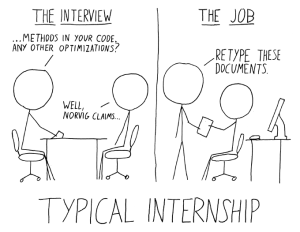
So, don’t let us retype your documents and blog posts, as that would make us your intern.

We have some embedded devices here, which badly need attention. Some have gotten some private time on the bench, but we did not share anything on the blog yet with our readers. We simply need some extra hands to do this. Because it’s actually cool to do, but admittedly a bit boring when doing several devices, it was the perfect job for an intern. Besides the benchmarking, we have some other Linux-related projects for you. You’ll get an average payment for an internship in the Netherlands (in Dutch: “stagevergoeding”), lunch, a desk and a bunch of devices (aka toys-for-techies).

Like more companies in the Netherlands, we don’t care about how you where born, but who you are as a person. We expect from you that you…

  • know everything about Linux administration, from servers to embedded devices.
  • know how to setup a benchmark.
  • document all what you do, not only the results.
  • speak and write Dutch and English.
  • have great humor! (Even if you’re the only one who laughs at your jokes).
  • study in the EU, or can arrange the paperwork to get to the EU yourself.
  • have a place to live/crash in or nearby Amsterdam, or don’t mind the daily travelling. You cannot sleep in the office.

Together with your educational institute we’ll discuss the exact learning goals of the internship, and make a plan for a period of 3 to 6 months.

If you are interested, send a mail to jobs@streamhpc.com. If you know somebody who would be interested, please tell that person that we’re waiting for him/her! Also tips&tricks on finding the right person are very welcome.

A short story: OpenCL at LaSEEB (Lisboa, Portugal)

3_lab-laseeblaseeb-logosoftThe research lab LaSEEB (Lisboa, Portugal) is active in the areas of Biomedical Engineering, Computational Intelligence and Evolutionary Systems. They create software using OpenCL and CUDA to speed-up their research and simulations.

They were one of the first groups to try out OpenCL, even before StreamHPC existed. To simplify the research at the lab, Nuno Fachada created cf4ocl – a C Framework for OpenCL. During an e-mail correspondence with Nuno, I asked to tell something about how OpenCL was used within their lab. He was happy to share a short story.

We started working with OpenCL since early 2009. We were working with CUDA for a few months, but because OpenCL was to be adopted by all platforms, we switched right away. At the time we used it with NVidia GPUs and PS3’s, but had many problems because of the verbosity of its C API. There were few wrappers, and those that existed weren’t exactly stable or properly documented. Adding to this, the first OpenCL implementations had some bugs, which didn’t help. Some people in the lab gave up using OpenCL because of these initial problems.

All who started early on, recognises the problems described above. Now fast-forward to now.

Nowadays its much easier to use, due to the stability of the implementations, and the several wrappers for different programming languages. For C however, I think cf4ocl is the most complete and well documented. The C people here in the lab are getting into OpenCL again due to it (the Python guys were already into it again due to the excellent PyOpenCL library). Nowadays we’re using OpenCL for AMD and NVidia GPUs and multicore CPUs, including some Xeons.

This is what I hear more often lately: the return of OpenCL to research labs and companies, after a several years of CUDA. It’s a combination of preparing for the long-term, growing interest in exploring other and/or cheaper(!) accelerators than NVIDIA’s GPUs, and OpenCL being ready for prime-time.

Do you have your story of how OpenCL is used within your lab or company? Just contact us.

Are you interested in other wrappers for OpenCL, See this list on our knowledge base.

Why use OpenCL on FPGAs?

9781118942208.pdfAltera has just released the free ebook FPGAs for dummies. One part of the book is devoted to OpenCL, so we’ll quote some extracts here  from one of the chapters. The rest of the book is worth a read, so if you want to check the rest of the text, just fill in the form on Altera’s webpage.

In StreamHPC we’re interested in OpenCL on FPGAs for one reason: many companies run their software on GPUs, when they should be using FPGAs instead; and at the same time, others stick to FPGAs and ignore GPUs completely. The main reason, we think, is that converting CUDA to VHDL, or Verilog to CPU intrinsics, is simply too painful. Another reason can be seen in the a amount of investment put on a certain technology. We believe that OpenCL can solve both of these issues. OpenCL is much more portable and can be converted to a new architecture in a relatively short time (if the developer is familiar with the project, the hardware and OpenCL). We have high familiarity with these two latter, which means we’re used to get new projects up-and-running.

Since both Altera and Xilinx have invested in OpenCL, the two FPGAs code has become more portable now. Altera has a public SDK (and they’re proudly loud about it), while Xilinx offers it in their latest tools (although they’re unfortunately much more silent about it).

Now, let us now go back to the quotes from the book that we wanted to share with you.

Andrew Moore describes OpenCL effectively in just a few sentences:

The need for heterogeneous computing is leading to new programming languages to exploit the new hardware. One example is the OpenCL first developed by Apple, Inc. OpenCL is a framework for writing programs that execute across heterogeneous platforms consisting of CPUs, GPUs, DSPs, FPGAs, and other types of processors. OpenCL includes a language for developing kernels (functions that execute on hardware devices) as well as application programming interfaces (APIs) that define and control the various platforms. OpenCL allows for parallel computing using task-based and data-based parallelism.

The author also shares some interesting insights around the reasons why OpenCL should be used on FPGA:

FPGAs are inherently parallel, so they’re a perfect fit with OpenCL’s parallel computing capabilities. FPGAs give you an alternative to the typical data or task parallelism by offering a pipeline parallelism where tasks can be spawned in a push-pull configuration with each task using different data from the previous task with or without host interaction. OpenCL allows you to develop your code in the familiar C programming language but using the additional capabilities provided by OpenCL. These kernels can be sent to the FPGAs without your having to learn the low-level HDL coding practices of FPGA designers. Generally, there are several benefits for software developers and system designers to use OpenCL to develop code for FPGAs:

  • Simplicity and ease of development: Most software developers are familiar with the C programming language, but not low-level HDL languages. OpenCL keeps you at a higher level of programming, making your system open to more software developers.
  • Code profiling: Using OpenCL, you can profile your code and determine the performance-sensitive pieces that could be hardware accelerated as kernels in an FPGA.
  • Performance: Performance per watt is the ultimate goal of system design. Using an FPGA, you’re balancing high performance in an energy-efficient solution.
  • Efficiency: The FPGA has a fine-grain parallelism architecture, and by using OpenCL you can generate only the logic you need to deliver one fifth of the power of the hardware alternatives.
  • Heterogeneous systems: With OpenCL, you can develop kernels that target FPGAs, CPUs, GPUs, and DSPs seamlessly to give you a truly heterogeneous system design.
  • Code reuse: The holy grail of software development is achieving code reuse. Code reuse is often an elusive goal for software developers and system designers. OpenCL kernels allow for portable code that you can target for different families and generations of FPGAs from one project to the next, extending the life of your code.

Today, OpenCL is developed and maintained by the technology consortium Khronos Group. Most FPGA manufacturers provide Software Development Kits (SDKs) for OpenCL development on FPGAs.

You can continue here if you want to read of this ebook. And  of course, whenever you want to learn some more more, feel free to write to us, or follow this conversation on Twitter, which goes on through our special account: @OpenCLonFPGAs.

OpenCL support on recent Android smartphones

There is more than one way (image by Pank Seelen
There is more than one way (image by Pank Seelen)

The embedded world is so extremely flexible, because it is full of open standards. We therefore expect that big processor vendors will push harder than Google can push back. OpenCL-support is very important for GPGPU-libraries like ArrayFire, VexCL, ViennaCL – these can be ported to Android in less time.

Apple now has introduced Metal on iOS to increase the fragmentation even more. StreamHPC and friends are working hard on getting one language to have on all platforms, so we can build on bringing solutions to you. Understand that if OpenCL gets popular on Android, this increases the chance that it will get accepted on other mobile platforms like iOS and Windows Mobile/Phone.

On the other hand it is getting blocked wherever it can, as GPGPU brings unique apps. A RenderScript-only or Metal-only app is good for sales of one type of smartphone – good for them, bad for developers who want to target the whole market.

Getting the current status

To get more insight on the current situation, Pavan Yalamanchili of ArrayFire has created a spreadsheet (click here to edit yourself). It is publicly editable, so anybody can help complete it. Be clear about the version of Android you are running, as for instance in 4.4.4 there are possibly some blocks thrown up by Google. If you found drivers, but did not get OpenCL running, please put that in the notes. You can easily find out if your smartphone supports OpenCL, using this OpenCL-Info app. Thanks in advance of helping out!

Why not just RenderScript?

We think that RenderScript can be built on top of OpenCL. This helps allowing new programming languages and finding the optimal programming-solution faster than just trusting Google engineers – solving this problem is not about being smart, but about being open to more routes.

Same is for Metal, which even tries to replace both OpenCL and OpenGL. Again it is a higher level language which can be expressed in OpenGL and OpenCL.

Let’s see if Apple and Google serve their dedicated developers, or if we-the-developers must serve them. Let’s hope for the best.

Using async_work_group_copy() on 2D data

async_all_the_things1When copying data from global to local memory, you often see code like below (1D data):
[raw]

if (get_group_id(0)==0) {
  for (int i=0; i < N; i++) {
      data_local[i] = data_global[offset+i]
  }
}
mem_fence(CLK_LOCAL_MEM_FENCE);

[/raw]
This can be replaced this with an asynchronous copy with the function async_work_group_copy, which results in more manageable and cleaner code. The function behaves like an asynchronous version of memcpy() you know from C++.

event_t async_work_group_copy ( __local gentype *dst,
const __global gentype *src,
size_t  data_size,
event_t event
event_t async_work_group_copy ( __global gentype *dst,
const __local gentype *src,
size_t data_size,
event_t event

The Khronos registry async_work_group_copy provides asynchronous copies between global and local memory and a prefetch from global memory. This way it’s much easier to hide the latency of the data-transfer. In de example below, you effectively get free time to do the do_other_stuff() – this results in faster code.

As I could not find a good code-snippets online, I decided to clean-up and share some of my code. Below is a kernel that uses a patch of size (offset*2+1) and works on 2D data, flattened to a float-array. You can use it for standard convolution-like kernels.

The code is executed on workgroup-level, so there is no need to write code that makes sure it’s only executed by one work-item.

[raw]

kernel void using_local(const global float* dataIn, local float* dataInLocal) {
    event_t event;
    const int dataInLocalWidth = (offset*2 + get_local_size(0));
        
    for (int i=0; i < (offset*2 + get_local_size(1)); i++) {
        event = async_work_group_copy(
             &dataInLocal[i*dataInLocalWidth],
             &dataIn[(get_group_id(1)*get_local_size(1) - offset + i) * get_global_size(0) 
                 + (get_group_id(0)*get_local_size(0)) - offset],
             dataInLocalWidth,
             event);
   }
   do_other_stuff(); // code that you can execute for free
   wait_group_events(1, &event); // waits until the copy has finished.
   use_data(dataInLocal);
}

[/raw]

On the host (C++), the most important part:
[raw]

cl::Buffer cl_dataIn(*context, CL_MEM_READ_ONLY|CL_MEM_HOST_WRITE_ONLY, sizeof(float) 
          * gsize_x * gsize_y);
cl::LocalSpaceArg cl_dataInLocal = cl::Local(sizeof(float) * (lsize_x+2*offset) 
          * (lsize_y+2*offset));
queue.enqueueWriteBuffer(cl_dataIn, CL_TRUE, 0, sizeof(float) * size_x * size_y, dataIn);
cl::make_kernel kernel_using_local(cl::Kernel(*program,"using_local", &error));
cl::EnqueueArgs eargs(queue,cl::NullRange ,cl::NDRange(gsize_x, gsize_y), 
          cl::NDRange(lsize_x, lsize_y));
kernel_using_local(eargs, cl_dataIn, cl_dataInLocal);

[/raw]
This should work. Some have the preference to do local initialisation in the kernel, but I prefer not to do this JIT.

This code might not work optimal if you have special tricks for handling the outer border. If you see any improvement, please share via the comments.

Market Positioning of Graphics and Compute solutions

positioningWhen compute became possible on GPUs, it was first presented as an extra feature and did not change much to the positioning of the products by AMD/ATI and Nvidia. NVidia started with positioning server-compute (described as “the GPU without a monitor-connector”), where AMD and Intel followed. When the expensive Geforce GTX Titan and Titan Z got introduced it became clear that NVidia still thinks about positioning: Titan is the bridge between Geforce and Tesla, a Tesla with video-out.

Why is positioning important? It is the difference between “I’d like to buy a compute-card for my desktop, so I can develop algorithms that run as well on the compute-server” and “I’d like to buy a graphics card for doing computations and later run that on a passively cooled graphics card”. The second version might get a “you don’t want to do that”, as graphics terminology is used to refer to compute-goals.

Let’s get to the overview.

AMD NVIDIA Intel ARM
Desktop User * A-series APU  – Iris / Iris Pro  –
Laptop User * A-series APU  – Iris / Iris Pro  –
Mobile User  – Tegra Iris Mali T720 / T4xx
Desktop Gamer Radeon GeForce  –  –
Laptop Gamer Radeon M GeForce M  –  –
Mobile High-end  – Tegra K (?) Iris Pro Mali T760 / T6xx
Desktop Graphics FirePro W Quadro  –  –
Laptop Graphics FirePro M Quadro M  –  –
Desktop (DP) Compute FirePro W Titan (hdmi) / Tesla (no video-out) XeonPhi  –
Laptop (DP) Compute FirePro M Quadro M XeonPhi  –
Server (DP) Compute FirePro S Tesla XeonPhi (active cooling!)  –
Cloud Sky Grid  –  –

* = For people who say “I think my computer doesn’t have a GPU”.

My thoughts are that Titan are to promote compute at the desktop, while also Tesla is promoted for that. AMD has the FirePro W for that, for both Graphics professionals and Compute professionals, to serve all customers. Intel uses XeonPhi for anything compute and it’s is all actively cooled.

The table has some empty spots: Nvidia doesn’t have IGP, AMD doesn’t have mobile graphics and Intel doesn’t have a clear message at all (J, N, X, P, K mixed for all types of markets). Mobile GPUs from ARM, Imagination, Qualcomm and others have a clear message to differentiate between high-end and low-end mobile GPUs, whereas NVidia and Intel don’t.

Positioning of the Titan Z

Even though I think that Nvidia made a right move with positioning a GPU for the serious Compute Hobbyist, they are very unclear with their proposition. AMD is very clear: “Want professional graphics and compute (and play games after work)? Get FirePro W for workstations”, whereas Nvidia says “Want compute? Get a Titan if you want video-output, or Tesla if you don’t”.

See this Geforce-page, where they position it as a gamers-card that competes with the Google Brain Supercomputer and a MAC Pro. In other places (especially benchmarks) it is stressed that it is not meant for gamers, but for compute enthusiasts (who can afford it). See for example this review on Hardware.info:

That said, we wouldn’t recommend this product to gamers anyway: two Nvidia GeForce GTX 780 Ti or AMD Radeon R9 290X cards offer roughly similar performance for only a fraction of the money. Only two Titan-Zs in SLI offer significantly higher performance, but the required investment is incredibly high, to the point where we wouldn’t even consider these cards for our Ultimate PC Advice.

As a result, Nvidia stresses that these cards are primarily intended for GPGPU applications in workstations. However, when looking at these benchmarks, we again fail to see a convincing image that justifies the price of these cards.

So NVIDIA’s naming convention is unclear. If TITAN is for the serious and professional compute developer, why use the brand “Geforce”? A Quadro Titan would have made much more sense. Or even “Tesla Workstation”, so developers could get a guarantee that the code would run on the server too.

Differentiating from low-end compute

Radeon and Geforce GPUs are used for low-cost compute-cluster. Both AMD and NVidia prefer to sell their professional cards for that market and have difficulties to make a clear understanding that game-cards are not designed for compute-only solutions. The one thing they did the past years is to reserve good double precision computations for their professional cards only. An existing difference was the driver quality between Quadro/FirePro (industry quality) and GeForce/Radeon. I think both companies have to rethink the differentiated driver-strategy, as compute has changed the demands in the market.

I expect more differences between the support-software for different types of users. When would I pay for professional cards?

  1. Double Precision GFLOPS
  2. Hardware differences (ECC, NVIDIA GPUDirect or AMD SDI-link/DirectGMA, faster buses, etc)
  3. Faster support
  4. (Free) Developer Tools
  5. System Configuration Software (click-click and compute works)
  6. Ease of porting algorithms to servers/clusters (up-scaling with less bugs)
  7. Ease of porting algorithms to game-cards (simulation-mode for several game-cards)

So the list starts with hardware specific demands, then focuses to developer support. Let me know in the comments, why you would (not) pay for professional cards.

Evolving from gamer-compute to server-compute

GPU-developers are not born, but made (trained or self-educated). Most times they start with OpenCL (or CUDA) on their own PC or laptop.

With Nvidia it would be hobby-compute on Geforce, then serious stuff on Titan, then Tesla or Grid. AMD has a comparable growth-path: hobby-compute on Radeon, then upgrade to FirePro W and then to FirePro S or Sky. Intel it is Iris or XeonPhi directly, as their positioning is not clear at all if it comes to accelerators.

Conclusion

Positioning of the graphics cards and compute cards are finally getting finalised at the high-level, but will certainly change a few more times in the year(s) to come. Think of the growing market for home-video editors in 2015, who will probably need a compute-card for video-compression. Nvidia will come with another solution than AMD or Intel, as it has no desktop-CPU.

Do you think it will be possible to have an AMD APU with NVIDIA accelerator? Do people need to buy a accelerator-box in 2015 that can be attached to their laptop or tablet via network or USB, to do the rendering and other compute-intensive work (a “private compute cloud”)? Or will there always be a market for discrete GPUs? Time will tell.

Thanks for reading. I hope the table makes clear how things are now as of 2014. Suggestions are welcome.

Valgrind suppression file for AMD64 on Linux

valgrind_amdValgrind is a great tool for finding possible memory leaks in code written in C, C++, Java, Perl, Python, assembly code, Fortran, Ada, etc. I use it to check out if the provided code is ok, before I start porting it to GPU-code. It finds one of those devils in the details. But also for finding my own bugs when writing OpenCL-code, it has given me good feedback. Unfortunately it does not work well with optimised libraries, such as the OpenCL-driver from AMD.

You’ll get problems like below, which clutters the output.

==21436== Conditional jump or move depends on uninitialised value(s)
==21436==    at 0x6993DF2: ??? (in /usr/lib/fglrx/libamdocl64.so)
==21436==    by 0x6C00F92: ??? (in /usr/lib/fglrx/libamdocl64.so)
==21436==    by 0x6BF76E5: ??? (in /usr/lib/fglrx/libamdocl64.so)
==21436==    by 0x6C048EA: ??? (in /usr/lib/fglrx/libamdocl64.so)
==21436==    by 0x6BED941: ??? (in /usr/lib/fglrx/libamdocl64.so)
==21436==    by 0x69550D3: ??? (in /usr/lib/fglrx/libamdocl64.so)
==21436==    by 0x69A6AA2: ??? (in /usr/lib/fglrx/libamdocl64.so)
==21436==    by 0x69A6AEE: ??? (in /usr/lib/fglrx/libamdocl64.so)
==21436==    by 0x69A9D07: ??? (in /usr/lib/fglrx/libamdocl64.so)
==21436==    by 0x68C5A53: ??? (in /usr/lib/fglrx/libamdocl64.so)
==21436==    by 0x68C8D41: ??? (in /usr/lib/fglrx/libamdocl64.so)
==21436==    by 0x68C8FB5: ??? (in /usr/lib/fglrx/libamdocl64.so

How to fix this cluttering? Continue reading “Valgrind suppression file for AMD64 on Linux”

Building a 150 TFLOPS cluster with Accelerators in 2014

top500You can’t ignore accelerators when designing a new cluster for HPC anymore. Back in 2010 I suggested to use GPUs to enter the Top 500 with a budget of only €38k. It takes ten times more now, as almost everybody started to use accelerators. To get into the November top 500 would roughly take a cluster of 150 TFLOPS.

I’d like to give you a list of what you can expect for 2014, and to help you design your HPC cluster with recent hardware. The focus should be on OpenCL-capable hardware, as open standards can prepare you better for upgrades in the future. So, this is also a guess on what we can see in the November Top 500, based on current information.

There are currently professional solutions from NVIDIA, AMD, Intel and Altera. I’ve searched the web and asked around for what would be the upcoming offers. You will find the results bellow. But information should continue to flow; please add your remarks in the comments, so we get the best information through collaboration.

Comparison: mentioning the Double Precision GFLOPS of the accelerators only. The theoretical GFLOPS can not be reached in real-world benchmarks. Therefore, DGEMM is used as an indication of the maximum realistic GFLOPS. The efficiencies of other benchmarks (like Linpack) are all lower.

NVIDIA Tesla

NVIDIA Tesla is the current market leader with Tesla K20 and K20X. By the end of 2013 they announced K40 (GK110b-architecture), which is 10% to 20% faster than the K20X (see table). This is 10% faster in max GFLOPS, but also 10% due to architecture-improvements. It’s not a huge difference, but the new Maxwell-architecture is more promising. The problem is that high-end Maxwell is not expected for this year. There are several rumours around what’s going on, but the official one is that there are problems with 20nm. I’ve had this confirmed by different sources, but will, of course, keep you up-to-date on Twitter.

I could not find good enough information on The K40x. It has been also very quiet around the current architectures on their yearly GDC conference. My expectations are that they will want to kick in hard with Maxwell in 2015. For 2014 they’ll focus on keeping their current customers happy in a different way. For now, let’s assume the K40X is 10% faster.

K20-K40So, for this year it will be K40. Here’s an overview:

  • Peak 1.43 DP TFLOPS theoretical
  • Peak 1.33 DP TFLOPS DGEMM (93% efficiency)
  • 5.65 GFLOPS/Watt DGEMM
  • Needs 122 GPUs to get 150 TFLOPS DGEMM
  • Lowest streetprice is $4800. $585,600 for 122 GPUs.

AMD FirePro

Just like the Tesla K40 and the Intel Xeon Phi, AMD offers accelerators with a lot of memory. The S10000 and S9000 are their current server-offers, but are still based on their older architectures. Their latest architecture is only available for gamers (i.e. R9 290X) and workstations (i.e. W9100). Now, with the recent announcement of the W9100, we have an indication of what this server-accelerator would cost, and look like. I expect this card to launch soon. I even expected it to be launched before the W9100.

What is interesting about the W9100 is the high memory transfer rate and the large memory. Assuming they need to pack the S9150 in 225 Watt and don’t change the design much to launch soon, they need to under-clock it like 22%. I think they can use 235 Watts (like the K40). Nevertheless, I want to be realistic.

FirePro W9100 FirePro W9000 FirePro S9150
Shader count 2816 2048 2816
Mem size 16 GByte 6 GByte 16 GByte
mem-type GDDR5 GDDR5 GDDR5
Interface 512 Bit 384 Bit 512 Bit
Transferrate 320 GByte/s 264 GByte/s 320 GByte/s
TDP 275 Watt 274 Watt 225 Watt (-22%)
Connectors 6 × MiniDP, 3D-Stereo, Frame-/ Genlock 6 × MiniDP, 3D-Stereo, Frame-/ Genlock ?
Multimonitor yes (6) yes (6) Don’t care
SP/DP (TFlops) 5.24 / 2.62 3.99 / 1.0 4.1 / 2.0 (-22%)
ECC yes yes yes
OpenCL 2.0 yes no yes
Price $3999 USD $2999 USD ?

So, what about the new FirePro S9000 with latest GCN, the S9150? An overview:

  • Peak 2.0 DP TFLOPS theoretical
  • Peak 1.6 DP TFLOPS DGEMM (at 80% efficiency, to be safe)
  • 7.1 GFLOPS/Watt DGEMM
  • Needs 94 GPUs to get 150 TFLOPS DGEMM
  • No prices available yet – AMD mostly prices lower than NVIDIA. $371,907 for 93 GPUs, when priced at $3999.

Update: DGEMM of 90% is reached. Then we get 1.8 DP TFLOPS DGEMM and 8.3 GFLOPS/Watt DGEMM. As a result, you need 84 GPUs only to get to the 150 TFLOPS.

Intel Xeon Phi

Intel currently offers 3110, 5110 and 7110 Xeon Phi’s. In the past months they added the 3120, 5120 and 7120. The 7120 uses 300 Watt, which needs special casing to cool this passively cooled card. I don’t quite understand this. I could compare it better to the W9100 and a heavily overclocked K40, or use lower numbers like I did above with the FirePro. But, as you can see, it doesn’t even compare with 300 Watts.

The OpenCL-drivers have been improved this year, which is more promising news. The guess here is wether they will launch a new 7130, or a 7200 or none at all. All the news and rumours speak of 2015 and 2016, for a more integrated memory and a socket-version(!) of the XeonPhi.

For this year the Xeon Phi 7120 would be their top-offer. It compares well with AMD’s W9100 if it comes to memory: 16GB GDDR5 and 352 GB/s.

  • Peak 1.21 DP TFLOPS theoretical
  • Peak 1.07 DP TFLOPS DGEMM (at 80% efficiency)
  • 3.56 GFLOPS/Watt DGEMM
  • Needs 140 Phi’s to get 150 TFLOPS DGEMM
  • Costs $4129 officially, $578,060 for 140.

Altera FPGAs

With OpenCL it finally got possible to run SIMD-focused software on FPGAs. OpenCL 2.0 also has some improvements for FPGAs, making it interesting for mature software that needs low-latency or less power-usage. In other words: software that has been designed on GPUs and measurements show that lower latency would out-compete others on the market who use GPUs, or that the electricity-bill makes the CFO sad. Understand that FPGAs do compete with the above three, but have their own performance hot spots and therefore it’s hard to compare.

I don’t expect the big entry in this year’s Top 500, but I’m watching FPGA progresses closely. Xilinx is also entering this market, but I don’t get much response (if any) to the emails I send to them. For next year’s article I hope to include FPGAs as a true competitor. If you need low-power or low-latency, then you’d better take your time to research FPGA potential for your business this year.

Conclusion

Open standards

For those who don’t know, I tend to prefer open standards. The main reason is that switching hardware is easier, it gives you space to experiment. AMD, Intel and Altera support OpenCL 1.2 and will start later this year with 2.0, whereas NVIDIA lags over 2 years and only supports OpenCL 1.1. The results are now very visible: due to problems with Maxwell, you’ll need to postpone your plans to 2015 if you code in CUDA. There is one way to pressure them, though: port your code to OpenCL, buy Intel or AMD hardware, and then let NVidia know you want this flexibility.

Green 500

You might have noticed the big differences between the GFLOPS/Watt. Where this is important is in the Green 500, the list of energy efficient supercomputers. The goal of today’s supercomputers is that they are mentioned in the top 10 of both lists. If you build an efficient cluster (say 2 CPUs + 4 GPUs), you can get to 70-80% of max DGEMM performance. Below is a list for 75%:

  • AMD FirePro – 7.10 GFLOPS/Watt DGEMM -> 5.33 GFLOPS/Watt @ 75%
  • NVIDIA Tesla – 5.65 GFLOPS/Watt DGEMM -> 4.24 GFLOPS/Watt @ 75%
  • Intel XeonPhi – 3.56 GFLOPS/Watt DGEMM ->2.67 GFLOPS/Watt @ 75%

Currently this list is lead by a cluster with K20X GPUs, steaming out 4.50 GFLOPS/Watt, which has even 86% of max DGEMM.

In other words: if the FirePro gets out in time, then the green 500 could be full of FirePro GPUs.

Update November 2014: here is the Green top 5.

green5
Green500 with AMD FirePro S9150 at spot #1

The winner

Since there are only three offers, they are all winners. What matters is the order.

  1. AMD FirePro – 16GB with its fast memory, is  the clear winner in DGEMM performance. The negative side: CUDA-software needs to be ported to OpenCL (we can do that for you).
  2. NVIDIA Tesla – Second to everything from FirePro (bandwidth, memory size, GFLOPS, price). The negative side: its OpenCL-support is outdated.
  3. Intel XeonPhi – Same as FirePro when it comes to memory. Nevertheless, it’s 60% slower in DGEMM and 50% less efficient. The negative side: 300 Watt for a server.

I am happy to see AMD as a clear winner after years of NVIDIA leading the pack. As AMD is the most prominent supporter of OpenCL, this could seriously democratise HPC in times to come.

[bordered_box border_color=” background_color=’#C1DAD6′]

Need to port CUDA to extremely fast OpenCL? Hire us!

If you order a cluster from AMD instead of NVIDIA, you effectively get our services for free.

[/bordered_box]

Intel promotes OpenCL as THE heterogeneous compute solution

opencl-intel-videoAt Intel they have CPUs (Xeon, Ivy Bridge), GPUs (Isis) and Accelerators (Xeon Phi). OpenCL enables each processor to be used to the fullest and they now promote it as such. Watch the below video and see their view on why OpenCL makes a difference for Intel’s customers.

This is important, because till recently Intel was more pushing OpenMP and their proprietary solutions. I think it has something to do with the specialised processors that can be programmed with OpenCL, such as DSPs and FPGAs. Intel has always made generic processors that solve problems best for most. Customers of OpenCL happen to be the ones that could not be served with generic processors and preferred FPGAs and DSPs, before they tried GPUs. By showing that Intel can do OpenCL, they show they are a trustworthy partner to handle the problems in a few years, when  the current problems can be handled by Intel processors.

Of course the Xeon Phi is also a good reason. The latest drivers have shown a huge improvement in performance, and that has increased Intel’s confidence in OpenCL for sure.

At StreamHPC we are very happy that Intel now openly promotes OpenCL and invests in it – this will increase trust in the programming language.

A small side-note. The differences between the Windows-drivers and Linux-drivers are somewhat vague: under Linux, the CPU is visible, but not supported officially. This makes development of multi-processor software not as straightforward as discussed in the video. Probably this will be more extensive in the future, as Intel only officially supports OpenCL on a processor when it’s very stable.

Big announcements: SYCL 1.2, WebCL 1.0 and OpenCL 2.0

opencl20Khronos just announced three OpenCL based releases:

  •  SYCL 1.2 Provisional Spec – Abstraction Layer for Leveraging C++ and OpenCL
  • WebCL 1.0 Final Spec – JavaScript bindings to OpenCL
  • OpenCL 2.0 Adopters Program – Conformance for OpenCL 2.0 implementations

Below I’ve quoted the summaries. For each of these I’ve prepared articles, but due to lack of time haven’t been able to finish and publish them. So for now some remarks after the summaries.

Khronos Releases SYCL 1.2 Provisional Specification

Programming abstraction layer to enable applications and high-level frameworks to leverage C++ and OpenCL for heterogeneous parallel acceleration

March 19, 2014 – San Francisco, Game Developer’s Conference – The Khronos™ Group today announced the release of SYCL™ 1.2 as a provisional specification to enable community feedback.  SYCL is a royalty-free, cross-platform abstraction layer that enables the development of applications and frameworks that build on the underlying concepts, portability and efficiency of OpenCL™, while adding the ease-of-use and flexibility of C++.  For example, SYCL can provide single source development where C++ template functions can contain both host and device code to construct complex algorithms that use OpenCL acceleration – and then enable re-use of those templates throughout the source code of an application to operate on different types of data.

https://www.khronos.org/news/press/khronos-releases-sycl-1.2-provisional-specification

Higher level languages are very important, as OpenCL is simply too low-level. SYCL is another effort to help researching & improving this area, as we haven’t found the holy grail. Languages like C++AMP and RenderScript claim they can replace OpenCL, but we all know that some implementations of those languages have been done on top of OpenCL.

Khronos Releases WebCL 1.0 Specification

JavaScript bindings to OpenCL brings heterogeneous parallel computing to Web browsers

March 19, 2014 – San Francisco, Game Developer’s Conference – The Khronos™ Group today announced the ratification and public release of the WebCL™ 1.0 specification.  Developed in close cooperation with the Web community, WebCL extends the capabilities of HTML5 browsers by enabling developers to offload computationally intensive processing to available computational resources such as multicore CPUs and GPUs.  WebCL defines JavaScript bindings to OpenCL™ APIs that enable Web applications to compile OpenCL C kernels and manage their parallel execution.  Like WebGL™, WebCL is expected to enable a rich ecosystem of JavaScript middleware that provides access to accelerated functionality to a wide diversity of Web developers.

https://www.khronos.org/news/press/khronos-releases-webcl-1.0-specification

WebCL gets more and more attention, even before it was even official. It would be interesting to see the same growth to higher level language as we have with OpenCL now. for this reason we started the Learning WebCL website, to help you learn WebCL in the future.

Khronos Launches OpenCL 2.0 Adopters Program

Conformance tests now available to certify OpenCL 2.0 implementations

March 19, 2014 – San Francisco, Game Developer’s Conference – The Khronos™ Group today announced the availability of the official conformance test suite for the OpenCL 2.0 specification, making it possible for implementers to certify that their implementations are officially conformant thorough the Khronos OpenCL Adopters Program.  Khronos has also released a set of header files for OpenCL 2.0 and an updated specification with a number of clarifications and corrections to the specification first released in November 2013.

https://www.khronos.org/news/press/khronos-launches-opencl-2.0-adopters-program

Finally the headers are open. Stay tuned for an extensive OpenCL 1.2 vs OpenCL 2.0 comparison, which I have prepared but were unable to finish without the header files.

I hope you are as happy with these announcements as I am. This tells me that OpenCL is ready for real business.

Khronos Invites Press & Game Developers to Sessions @ GDC San Francisco

Khronos-meetup-march-SanFrancisco

Khronos just sent out the below message to Press and Game Developers. To my understanding, there are many game devs under the readers of this blog, so I’d like you to share the message with you.

JOIN KHRONOS GROUP AT GDC 2014 SAN FRANCISCO
Press Conference, Technology Sessions and Refreshment OasisWe invite you to attend one or more of the Khronos sessions taking place in the Khronos meeting room just off the Moscone show floor. For detailed information on each session, and to register please visit: https://www.khronos.org/news/events/march-meetup-2014.
PRESS CONFERENCE

  • WHEN: Wednesday March 19 at 10:00 AM (Reception 9:30 AM)
  • WHERE: Room 262, West Mezzanine Level, (behind Official Press Room)
  • GUESTS: Members of the Press and Industry by Invitation*
  • RSVP: Jon Hirshon, Horizon PR jh@horizonpr.com

Members of the press are invited to attend the Khronos Press Conference, held jointly again this year with consortium PCGA (PC Gaming Alliance). Khronos will issue significant news on OpenGL ES, WebCL, OpenCL, and several more Khronos technologies, and PCGA will issue news about 2013 Gaming Market numbers. Updates will be delivered by Khronos and PCGA Executives, with insights made by David Cole of DFC and Jon Peddie of Jon Peddie Research.

DEVELOPER SESSIONS

All GDC attendees** are invited to the Khronos Developer Sessions where experts from the Khronos Working Groups will deliver in-depth updates on the latest developments in graphics and media processing. These sessions are packed with information and provide a great opportunity to:

  • Hear about the latest updates from the gurus that invented these technologies
  • See leading-edge demos & applications
  • Put your questions to members of the Khronos working groups
  • Meet with other community members

SESSION SCHEDULE

Wednesday March 19

  • 3:00 – 4:00 : OpenCL & SPIR
  • 4:00 – 5:00 : OpenVX, Camera and StreamInput
  • 5:00 – 6:00 : OpenGL ES
  • 6:00 – 7:00 : OpenGL

Thursday March 20

  • 3:00 – 3:50 : WebCL
  • 4:00 – 4:50 : Collada and glTF
  • 5:00 – 7:00 : WebGL

SESSION REGISTRATION
For information and to register, visit:https://www.khronos.org/news/events/march-meetup-2014

REFRESHMENT OASIS

We thought “Refreshment Oasis” sounded like a nice way to say “sit down and have a cup of coffee while we keep working!”  Khronos is happy to offer a hospitality suite conveniently located next to our primary meeting room (and the official GDC Press room) to showcase Khronos Member technology demos and offer a place for GDC guests, Khronos Members and Marketing staff to meet.  You are welcome to just drop by for a chat, or please email Michelle@GoldStandardGroup.org to arrange a meeting with any Work Group Chairs, Khronos Execs or Marketing Team.

We look forward to seeing you at the show!

*Admittance to the Press Conference is open to all GDC registered Press, and to members of industry on a “Seating Available” basis.  Space is limited so reserve your seat today.

** Admittance to the KHRONOS sessions is FREE but: (1) all attendees must have a GDC Exhibitor or Conference Pass to gain entry to the Khronos meeting room area (GDC tickets details http://www.gdconf.com) and (2) all attendees MUST REGISTER for the individual Khronos API sessions. We expect demand to be high and space is limited.

With open standards becoming more important in the very diverse computer-game industry, Khronos is also growing. If you are in this industry  and want to know (or influence) the landscape for the coming years, you should attend.

Commodity and Open Standards – why OpenCL matters

V-UVThis article actually discusses the question: is GPGPU a solution for the masses, or is it for niche-products? For the latter open standards matter a lot less, as you will read.

If you watch the below video on sale&marketing by Victor Antonio, then you get what is so difficult about open standards: It pushes all companies using the standard into a focus on becoming the best. Indeed, survival of the fittest may be the base of (true) capitalism and giving the best products. Problem is that competition on price is not safe for the future of the company.

The key is specialisation, or creating unique value. The below video discusses this. The difference between “a feature” and “unique value” is a discussion on its own, you really should have with your team on your own products. Continue reading “Commodity and Open Standards – why OpenCL matters”

OpenCL hardware test centre @ StreamHPC

S10000
AMD FirePro S10000

Wanting to test your OpenCL-software on specific hardware? From now on, that is possible by logging in on StreamHPCs test-servers.

Update: new prices. Got feedback it should compete with Amazon EC2.

During the beta-period (February to April) we have available:

[list1]

  • Dual FirePro S10000 (total ~11.8 TFLOPS single precision, ~2.9 TFLOPS double precision).
  • Several embedded GPU-boards attached.

[/list1]

By request more servers will be added, but for now we start lean.

You’ll get:

[list1]

  • 64 bit Linux server.
  • A secure SSH access with chrooted harddisk space.
  • Full NDA in case StreamHPC staff needs to assist.
  • Both shared and dedicated usage possible.
  • Assistance via mail and skype.

[/list1]

The costs for shared hours are €1,- per hour, for private hours €10,- €5,- per hour. Discounts are available for academics and existing customers (also from past trainings) – just contact us. Goal of the shared hours is to setup the software, do basic tests, but not to do intensive benchmarks.

We hope you can now make a better decision what hardware to choose, or to have your paper’s conclusions based on more recent hardware.

Want more info or have special requests? Call +31854865760 (office) or +31645400456 (cell), or use the contact form.

video: OpenCL on Android

Michael-Leahy-talk-videoMichael Leahy spoke on AnDevCon’13 about OpenCL on Android. Enjoy the overview!

Subjects (globally):

  • What is OpenCL
  • 13 dwarfs
  • RenderScript
  • Demo

Mr.Leahy is quite critical about Google’s recent decisions to try to block OpenCL in favour of their own proprietary RenderScript Compute (now mostly referred to as just “RenderScript” as they failed on pushing twin “RenderScript Graphics”, now replaced with OpenGL).

Around March ’13 I submitted a proposal to speak about OpenCL on Android at AnDevCon in November shortly after the “hidden” OpenCL driver was found on the N4 / N10. This was the first time I covered this material, so I didn’t have a complete idea on how long it would take, but the AnDevCon limit was ~70 mins. This talk was supposed to be 50 minutes, but I spoke for 80 minutes. Since this was the last presentation of the conference and those in attendance were interested enough in the material I was lucky to captivate the audience that long!

I was a little concerned about taking a critical opinion toward Google given how many folks think they can create nothing but gold. Afterward I recall some folks from the audience mentioning I bashed Google a bit, but this really is justified in the case of suppression of OpenCL, a widely supported open standard, on Android. In particular last week I eventually got into a little discussion on G+ with Stephen Hines of the Renderscript team who is behind most of the FUD being publicly spread by Google regarding OpenCL. One can see that this misinformation continues to be spread toward the end of this recent G+ post where he commented and then failed to follow up after I posted my perspective: https://plus.google.com/+MichaelLeahy/posts/2p9msM8qzJm

And that’s how I got in contact with Micheal: we both are irritated by Google’s actions against our favourite open standards. Microsoft has long learned that you should not block, only favour. But Google lacks the experience and believes they’re above the rules of survival.

Apparently he can dish out FUD, but can’t be bothered to answer challenges to the misinformation presented. Mr. Hines is also the one behind shutting down commentary on the Android issue tracker regarding the larger developer communities ability to express their interest in OpenCL on Android.

Regarding a correction. At the time of the presentation given the information at the time I mentioned that Renderscript is using OpenCL for GPU compute aspects. This was true for the Nexus 4 and 10 for Android 4.2 and likely 4.3; in particular the Nexus 10 using the Mali GPU from Arm. The N4 & N10 were initially using OpenCL for GPU compute aspects for Renderscript. Since then Google has been getting various GPU manufacturers to make a Renderscript driver that doesn’t utilize OpenCL for GPU compute aspects.

I hope you like the video and also understand why it remains important we keep the discussion on Google + OpenCL active. We must remain focused on the long-term and not simply accept on what others decide for us.

Heterogeneous Systems Architecture (HSA) – the TL;DR

HSASolutionStack
Legacy-apps run on HSA-hardware, but less optimal.

The main problem of discrete GPUs is that memory needs to be transferred from CPU-memory to GPU-memory. Luckily we have SoCs (GPU and CPU in one die), but still you need to do in-memory transfers as the two processors cannot access memory outside their own dedicated memory-regions. This is due the general architecture of computers, which did not take accelerators into account. Von Neumann, thanks!

HSA tries to solve this, by redefining the computer-architecture as we know it. AMD founded the HSA-foundation to share the research with other designers of SoCs, as this big change simply cannot be a one-company effort. Starting with 7 founders, it has now been extended to a long list of members.

Here I try to give an overview of what HSA is, not getting into much detail. It’s a TL;DR.

What is Heterogeneous Systems Architecture (HSA)?

It consists mainly of three parts:

  • new memory-architecture: hUMA,
  • new task-queueing: hQ, and
  • an intermediate language: HSAIL.
hsa-overview
HSA enables tasks being sent to CPU, GPU or DSP without bugging the CPU.

The basic idea is to give GPUs and DSPs about the same rights as a CPU in a computer, to enable true heterogeneous computing.

hUMA (Heterogeneous Uniform Memory Access)

HSA changes the way memory is handled by eliminating a hierarchy in processing-units. In a hUMA architecture, the CPU and the GPU (inside the APU) have full access to the entire system memory. This makes it a shared memory system as we know it from multi-core and multi-CPU systems.

HSA-shared-mem-supersimplified
This is the super-simplified version of hUMA: a shared memory system with CPU, GPU and DSP having equal rights to the shared memory.

hQ (Heterogeneous Queuing)

HSA gives more rights to GPUs and DSPs, leveraging work from the CPU. Compared to the Von Neumann architecture, the CPU is not the Central Processing Unit anymore – each processor can be in control and create tasks for itself and the other processors.

heterogeneous-queing
HSA-processors have control over their own and other application task queues.

HSAIL (HSA Intermediate Language)

HSAIL is a sort of virtual target for HSA-hardware. Hardware-vendors focus on getting HSAIL compiled to their processor instruction sets, and developers of high-level languages target HSAIL in their compilers. This is a proven concept of evolving complex hardware-software projects.

It is pretty close to OpenCL SPIR, which has comparable goals. Don’t see them as competitors, but two projects which both need different freedoms and will work along.

What is in it for OpenCL?

OpenCL 2.0 has support for Shared Virtual Memory, Generic Address Space and Recursive Functions. All supported by HSA-hardware.

OpenCL-code can be compiled to SPIR, which compiles to HSAIL, which compiles to HSA-hardware. When the time comes that HSAIL starts supporting legacy hardware, SPIR can be skipped.

HSA is going to be supported in OpenCL 1.2 via new flags – watch this thread.

Final words

Two companies not there: Intel and Nvidia. Why? Because they want to do it themselves. The good news is that HSA is large enough to define the new architecture, making sure we get a standard. The bad news is that the two outsiders will come up with an exception for whatever reason, which gives a need for exceptions in compilers.

You can read more on the  website of the HSA-foundation or ask me in the comments below.

PRACE Spring School 2014

prace-spring-school-2014On 15 – 17 April 2014 a 3-day workshop around HPC is organised. It is free, and focuses on bringing industry and academy together.

Research Institute for Symbolic Computation (RISC) / Johannes Kepler University Linz Kirchenplatz 5b (Castle of Hagenberg) 4232 Hagenberg Austria

The PRACE Spring School 2014 will take place on 15 – 17 April 2014 at the Castle of Hagenberg in Austria. The PRACE Seasonal School event is hosted and organised jointly by the Research Institute for Symbolic Computation / Johannes Kepler University Linz (Austria), IT4Innovations / VSB-Technical University of Ostrava (Czech Republic) and PRACE.

The 3-day program includes:

  • A 1-day HPC usage for Industry track bringing together researchers and attendees from industry and academia to discuss the variety of applications of HPC in Europe.
  • Two 2-day tracks on software engineering practices for parallel & emerging computing architectures and deep insight into solving multiphysical problems with Elmer on large-scale HPC resources with lecturers from industry and PRACE members.

The PRACE Spring School 2014 programme offers a unique opportunity to bring users, developers and industry together to learn more about efficient software development for HPC research infrastructures. The program is free of charge (not including travel and accommodations).

Applications are open to researchers, academics and industrial researchers residing in PRACE member countries, and European Union Member States and Associated Countries. All lectures and training sessions will be in English.

Applications are open to researchers, academics and industrial researchers residing in PRACE member countries, and European Union Member States and Associated Countries. All lectures and training sessions will be in English. Please visit http://prace-ri.eu/PRACE-Spring-School-2014/ for more details and registration.

At StreamHPC we support such initiatives.

First Khronos Chapter meeting in Amsterdam: WebGL/OpenGL

highres_225764012.jpeg

Thursday 13 February 2014 the first Khronos meetup in will take place. We expect a small group, so the location will be cozy and there will be enough time to talk with a beer. First round is on me, admission is free.

Goal is to learn about open media-standards from Khronos and others. So when OpenCV is discussed, we’ll also talk OpenVX. The target group is programmers and Indy developers who are interested in creating multi-OS and multi-device software.

Program

I am very thrilled to tell that Ton Roosendaal of the Blender Foundation will talk about the releationship between his Blender and Khronos OpenGL.

Second Maarten and Jurjen of ThreeDee Media will talk about WebGL, from a technical and a market view. Is WebGL ready for prime-time?

Then you can show your stuff. For that I’ll bring a good laptop with Windows 8.1 and Ubuntu 13.10 64.

Prepare for Meetup today!

See the Meetup-page for more information. See you there!